My Photography Blog

Welcome to the Chris Kendrick Photography Blog, where I share the stories, challenges and inspirations behind shooting Lake District landscapes and working as a Cumbria-based photographer. Alongside behind-the-scenes reflections from the fells and lakes, you'll also find honest photography gear reviews, covering the cameras, lenses and accessories that genuinely perform in real Lake District conditions. Whether you’re passionate about landscape photography, exploring Cumbria’s scenery, building your kit, or simply curious about the craft, there’s something here for you.

Some posts include affiliate links; thank you if you choose to support the blog through a qualifying purchase. If there’s a topic or piece of gear you’d like me to cover, let me know. Enjoy exploring!

Enjoy!

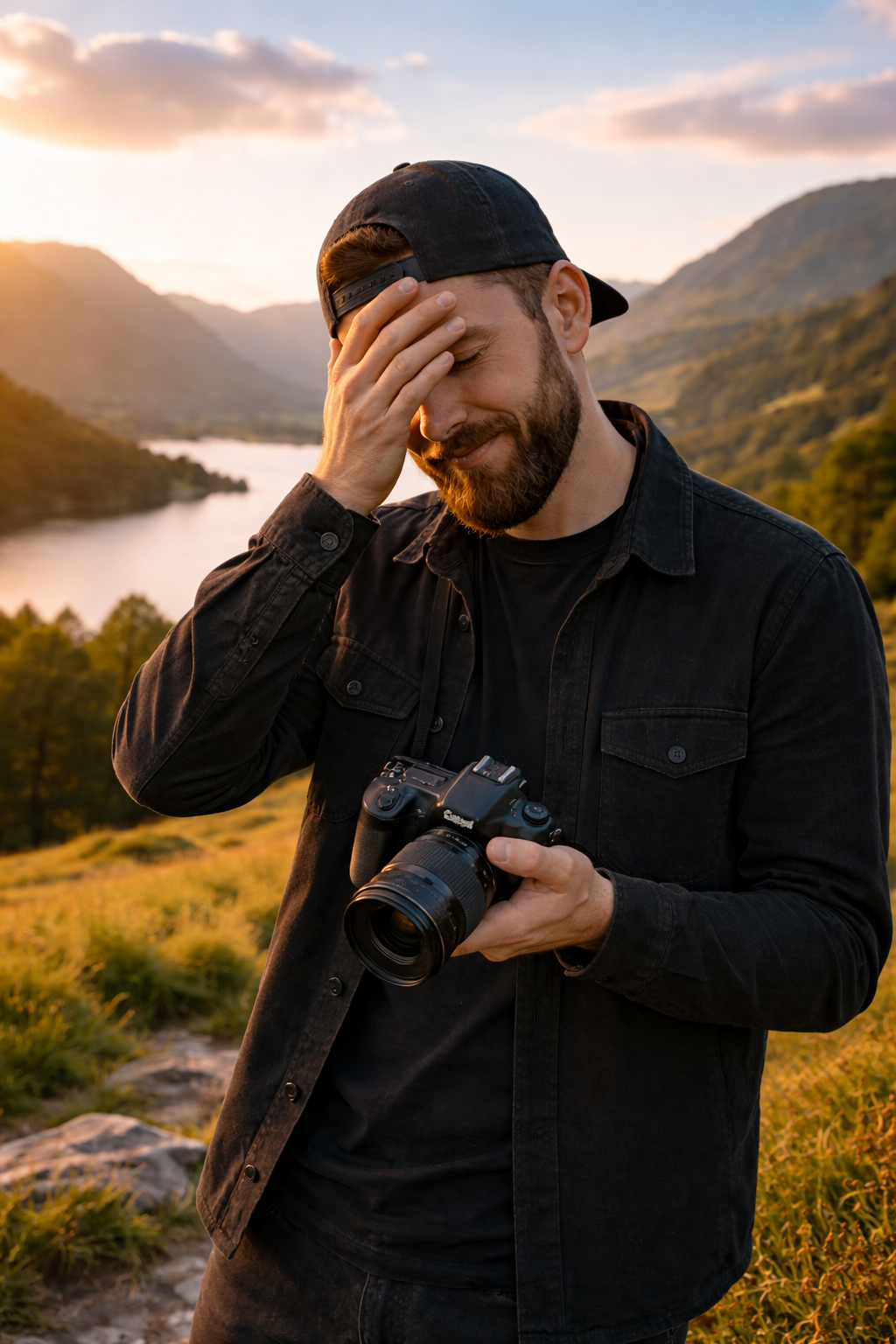
You Won’t Take Any Good Photos Today: Shifting Your Mindset in Landscape Photography.

“You won’t take any good photos today.” It’s a thought most landscape photographers have had at some point — often before the camera has even come out of the bag. This article explores how mindset, expectations, and pressure can quietly shape the way we shoot, and why chasing “good photos” can sometimes get in the way of meaningful photography.

Rather than focusing on locations, gear, or conditions, this piece looks at the mental side of landscape photography: learning to let go of outcomes, embracing imperfect days, and staying open to what the landscape offers. By shifting how you approach a shoot, you may find that creativity, enjoyment, and better images follow naturally — even on days that don’t look promising at first.
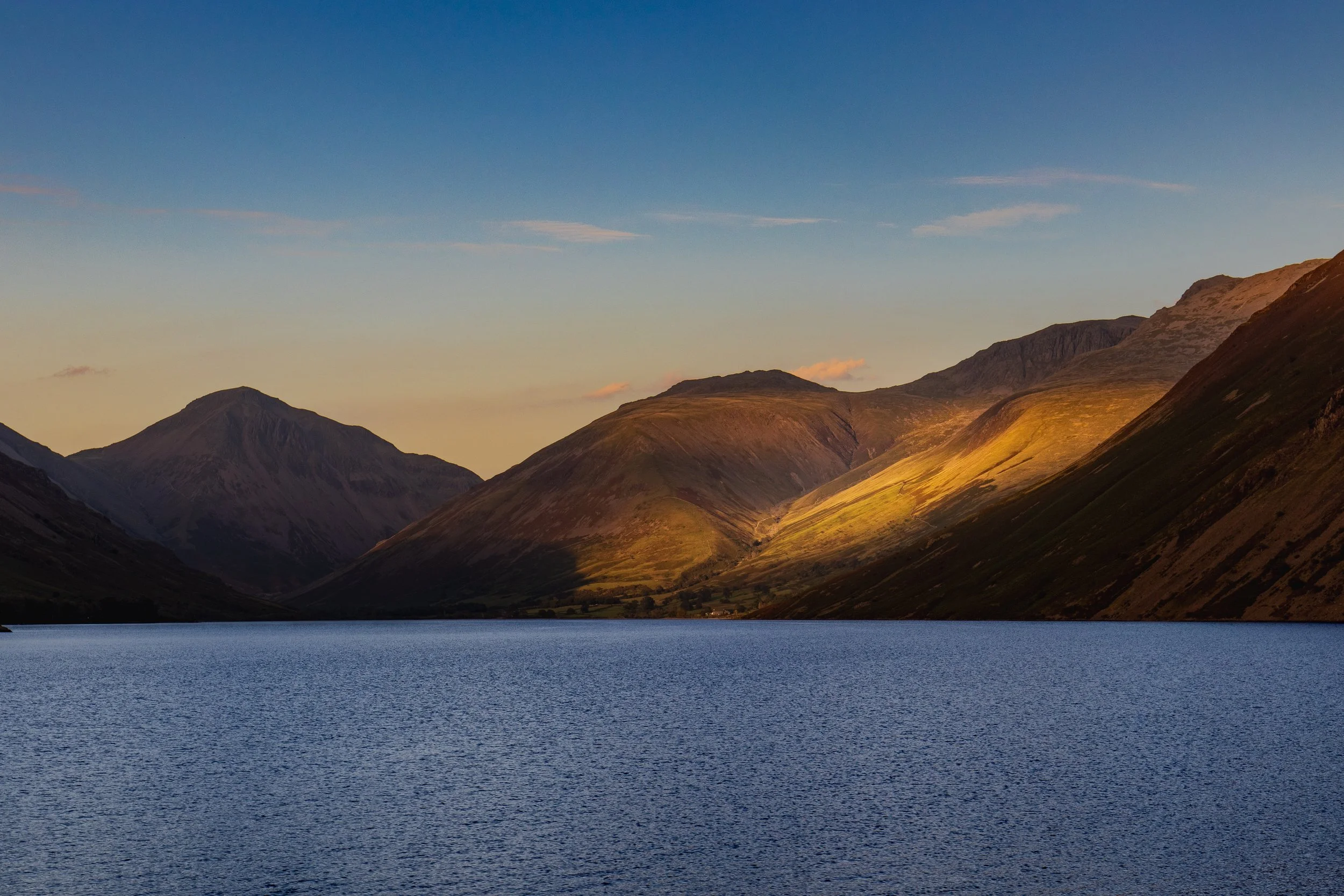
You won’t take any good photos today. Got it?

I normally try and take a positive tone in this blog, so this feels like a bit of a harsh way to start something off, but I promise I am going somewhere with this… bear with me.

If you know me, or you have been here before, you will know that my “real” job is working in a school, as Music teacher, who just happens to teach photography as well - the latter is definitely my favourite part of my role! One thing I am always talking to students about is adopting a “growth mindset”. This is about switching the way that we think, so instead of thinking “I’m not good at this”, we say “I can get better at this/I have room to grow/this is how I can better” and instead of “Other people are better than me” we might try thinking “Other people might be ahead now, and I can learn from them”.

So, to start writing this by saying “You won’t take any good photos today”, seems ostensibly negative and completely antithetical, but when we unpack it, it actually starts to take some of the pressure off of us as photographers. And it doesn’t have to be just applied to photography, you could switch this up to anything else that you do!

If we look at it again, saying that “You won’t take any good photos today” is very different to saying “You can’t take any good photos today”. We can all take good photos, we have the knowledge and the skills to do it. We just don’t always do it!

So when we say this, we’re not saying that we can’t do it, we’re saying that we won’t. This is isn’t about being negative, it’s about lowering our own expectations the amount of strong outcomes that we have when we’re getting the images out of the camera, and lets face it, we’ve all been disappointed at some point or other when we’ve been to a location we’ve been excited to get to and got home to find that the shot we wanted wasn’t quite right, the light didn’t help or whatever other reason it is that’s stopped us from being as successful as wanted. This is because, in our heads, we have built everything up so much, that we think we are coming home with a card full of bangers and then we don’t have a single one. It’s gruelling right? If this has never happened to you, please let me know what your secret is and well go into business together!

So what makes a good photo?

I refer you back to my to the opening of this blog: You won’t take any good photos today… If you know the definitive solution to this statement, let me know and we will go into business together and can retire at the start of next month.

This is one of the beautiful things about photography in that, it is so subjective that no one can give you the answer.

You could ask 100 photographers this question and I reckon that all of them would say something different, and they would all say “that’s a really tough question”.

Some people will mention sharpness, some will mention blur, some will mention expsosure and others will mention colour. Most of them will mention story in some form or other. A sharp photo isn’t always a good photo, a blurry photo isn’t always a bad photo, some photos will be way underexposed or over exposed and will still be good photos.

The answer to this isn’t a definitive one. That’s because (in my opinion) there are good photos and there are technically good photos.

By technically good, I mean that they are sharp where they need to be, they are well exposed and they have a balanced composition. Good photos don’t have to be technically good; if you think about intentional camera movement (ICM) then there isn’t much in this style of photography that is sharp: that’s the whole point of it!

If I’m taking pack shots, then there isn’t a story, they’re photos of objects which are intended to be honest. They need to be technically good so that they show the object/item off at it’s best and in a way which shows it for what it is; the client isn’t after creativity, they want the brief fulfilling and they want clear shots. These shots are technically good, but at the same time, they’re not going to win any awards. Such is the need for technical accuracy, that AI is starting to get involved with this in a big way.

So what makes a good image? For me, it’s one that makes you think, makes you stop and makes you ask questions. Not everyone will like all of your image, art is subjective and it’s divisive. One of the most expensive photos ever sold at auction (Andreas Gursky’s Rhein II) is one such photograph. It’s one of a series of photographs of the River Rhein, which flows through the centre of the frame with grass one either bank, an overcast sky and a path in the foreground. Everything runs horizontally. I think what I like about it is that you can view it top to bottom (like layers in cake), or from front to back link you are standing and looking at the scene. To some people, this will be a boring photo, but for me it’s not just a good photo, it’s a great photo… someone thought it was great to the tune of around $2.7million, but there are some people who won’t think it’s worth more than a tenner!

Your Camera

Better camera’s don’t take better photos. Read that again… Better camera’s don’t take better photos.

They might make higher resolution images in a way that makes the process easier, may be more intuitive and will make your life easier in post processing. If you’re a wildlife photographer, the better autofocus systems might give you more in focus shots. But they won’t help you to take ‘good’ images and they won’t make you a better photographer.

Think about some of the great photographers of the last 100 years. Ansell Adams, Henri Cartier-Bresson, Ernst Haas, Elliot Erwitt - the list could (and probably should) go on and one. But none of them used digital cameras. They didn’t have the autofocus systems that we have today, they probably didn’t have light meters in their cameras, they didn’t have the technology in their lenses that we have in the modern world but they still took great photographs.

When I got my first DSLR and took it out for the firs time, at night, in London I was set to come back with 100’s of photos that were going to blow people’s minds.

I did not.

I even thought that there was something wrong with the camera. There wasn’t, but there was a problem behind the camera, in someone who thought that the camera was going to do all of the heavy lifting. I had to spend time learning the theory and the technqiues and had to invest in a tripod. I even had to the read the camera manual… assisted by some demonstrations on YouTube.

But, telling myself that I might not take any good images made it even sweeter the first time came back and downloaded my card to find some images that I was pleased with and wanted to share with people.

Photography companies are great at making new cameras and they are just as good at marketing and making you think that you need the latest pieces of kit. You should only upgrade your kit when you’re need to, not just because the manufacturers told you that you should.

A few years ago, teaching photography I had a student with a Canon 5D Mark IV and a student with an entry level Canon, it was something like a 4000D. Guess who was taking the better photos… I’ll give you a clue; it wasn’t the person with the expensive camera.

Remember, the most important thing in photgraphy isn’t what taking the photos, it’s who’s taking the photos and the bit of electrified meat between their ears that is telling them how to take it.

So Why Aren’t You Going to Take Any Good Photos?

I mean, this a bit of a harsh question, you are going to take good photos, but if you can adjust your mindset and think that you’re not going to, you avoid the disappointment of having nothing you’re proud of, but you also have the joy of coming back to the edit and seeing that you have got more than you expected.

If you go out all the time thinking that you’re going to have endless good, usable photos on your memory card only to find that you don’t, you’re going to begin to fall out of love of with photography pretty quickly.

Even people who do landscape photography full time will go out and not come back with an image that they are happy with. They might have some technically excellent images, but nothing that they feel is ‘good’.

Remember

Photography is art, and as I have said, art is subjective.

Not everyone is going to like your photos, and that’s ok. Not all of your shots are going to be good, and that’s ok too. You won’t get banger after banger every time you go out to shoot, sometimes you will come back with a whole card of photos that you don’t like or you don’t think are any good, and guess what? That’s ok!

Thanks for reading, I hope you found this useful/insightful! If you’d like to be the first hear about new blogs and reviews and to keep up to date with what I am doing and see my latest work, please consider signing up to my newsletter.

If you’d like to support the blog and help me keep producing Lake District photography content, honest gear reviews and regular website updates, you can do so via my Buy Me a Coffee page. Keeping everything running smoothly takes time, and your support makes a real difference. Thank you.

Read More

What Are The Best Camera Settings for Landscape Photography?

When photographers ask “what are the best settings for landscape photography?”, they’re often looking for a simple checklist. The reality is that there’s no single set of perfect settings that works for every landscape scene. Light, weather, subject movement, time of day, and creative intent all influence the choices we make behind the camera.

In this guide, I explain why fixed “best settings” don’t really exist, and instead break down the decision-making process photographers use when choosing aperture, shutter speed, ISO, and focus. By understanding how these elements interact with the scene in front of you, you’ll be able to confidently select the right settings for any landscape, rather than relying on guesswork or presets.
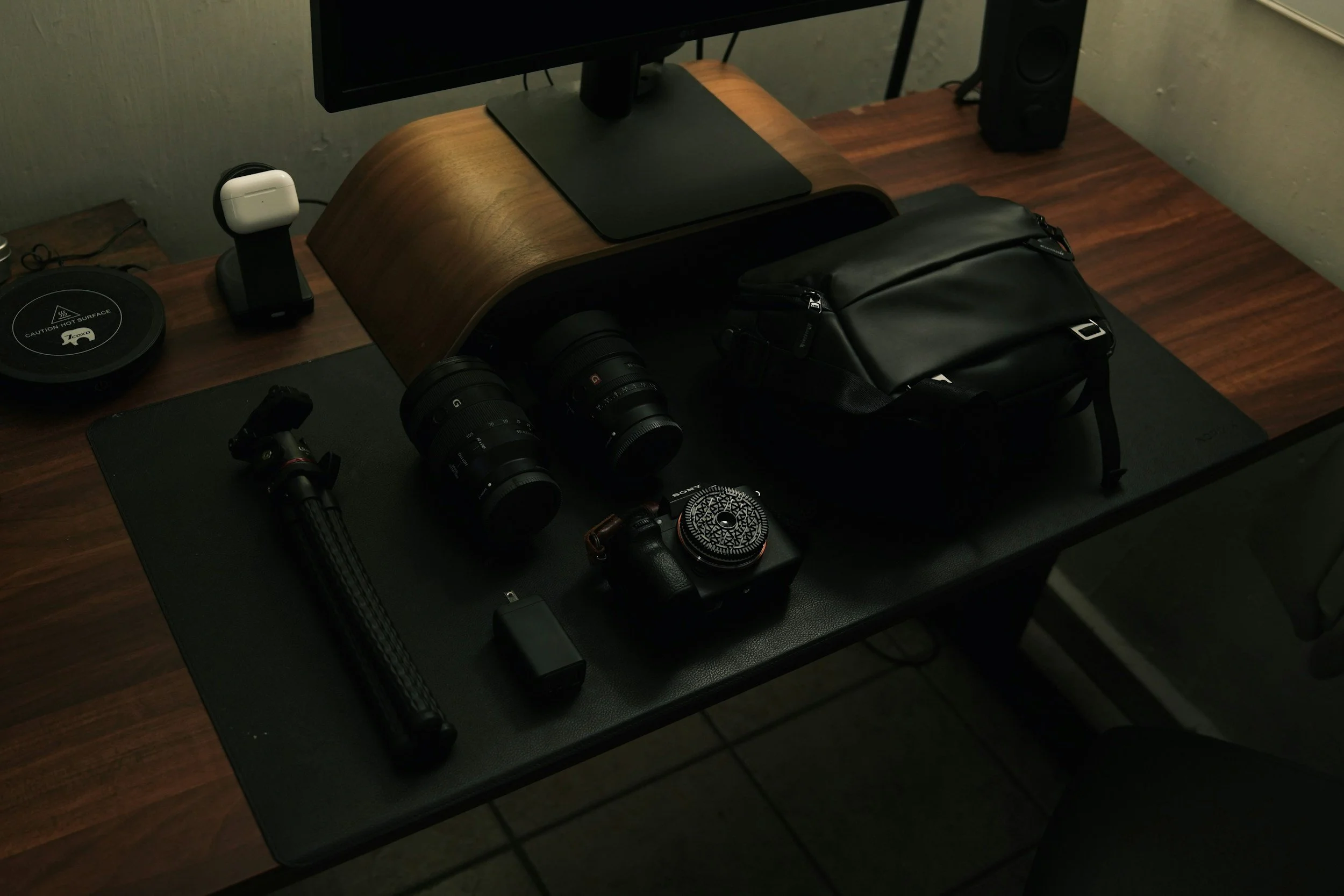
This is a question I get asked a lot, and I mean A LOT. Not just about landscape photography, but about all sorts of different photography - what are the best settings for portraits/ICM/product/wildlife… the list goes on.

The bad news for some people is that there is no ‘best’ settings for any of these types of photography. The best settings for the photo that you are taking are the ones that you need to be able to take the photo you want to take.

Let me unpack this a little…

For some situations, there are preferred settings. In a landscape shot, I am going to want use the sharpest part of my lens, and for the lenses that I have, that’s usually somewhere around the f/8 mark.

This is going, to some extent, dictate the rest of my settings as I am making the aperture smaller; other things are going to need to change in order to compensate. If you’re new to photography, then reading my blog about the exposure triangle, is going to help you to really understand what I am talking about in this entry.

Once I have set my aperture, I have a number of things I want to consider… do I want to freeze motion or do I want motion blur? Do I need to inject a ton of ISO into the image to get my desired exposure length? Does the ISO value I choose mean that I am going to be adding a load of noise/grain into my image that is going to ruin it?

Even though I want to use the f/8 aperture, this might not be possible and I may need to make some compromises.

It may even mean that to get my desired level of sharpness across the whole image, I need to consider focus stacking.

There’s a lot going on in just this one scenario.

Thinking again about the original question, “what are the best settings for landscape photography?”, we then need to remember that as landscape photographers, everything we do is at the mercy of that staple of British conversation, the weather. As a landscape photographer in The Lake District, I know only too well the perils of the changeable Lake District weather and understand that at certain times in the year, it isn’t uncommon to experience all four seasons in one day! However, the most common thing you are going to come across is changing light, no matter where you are.

Sometimes the light will be bright, you’ve got your camera settings dialled in and made your image. You want to take another couple of images at the same location, or of the same subject, but the light has changed, the clouds have positioned themselves firmly in front of the sun and everything that you have just done correctly to nail the first exposure, now needs to change. This is normal and for me, it’s one of the challenges that makes this pursuit so much fun!

But I’m Not a Landscape Photographer!

To be quite frank, this doesn’t matter. What I have just said can apply to all manner of photography genres, particularly those where you have little-to-no control over what the light is doing, because you are shooting outside and are at the mercy of Mother Nature.

To give another example…

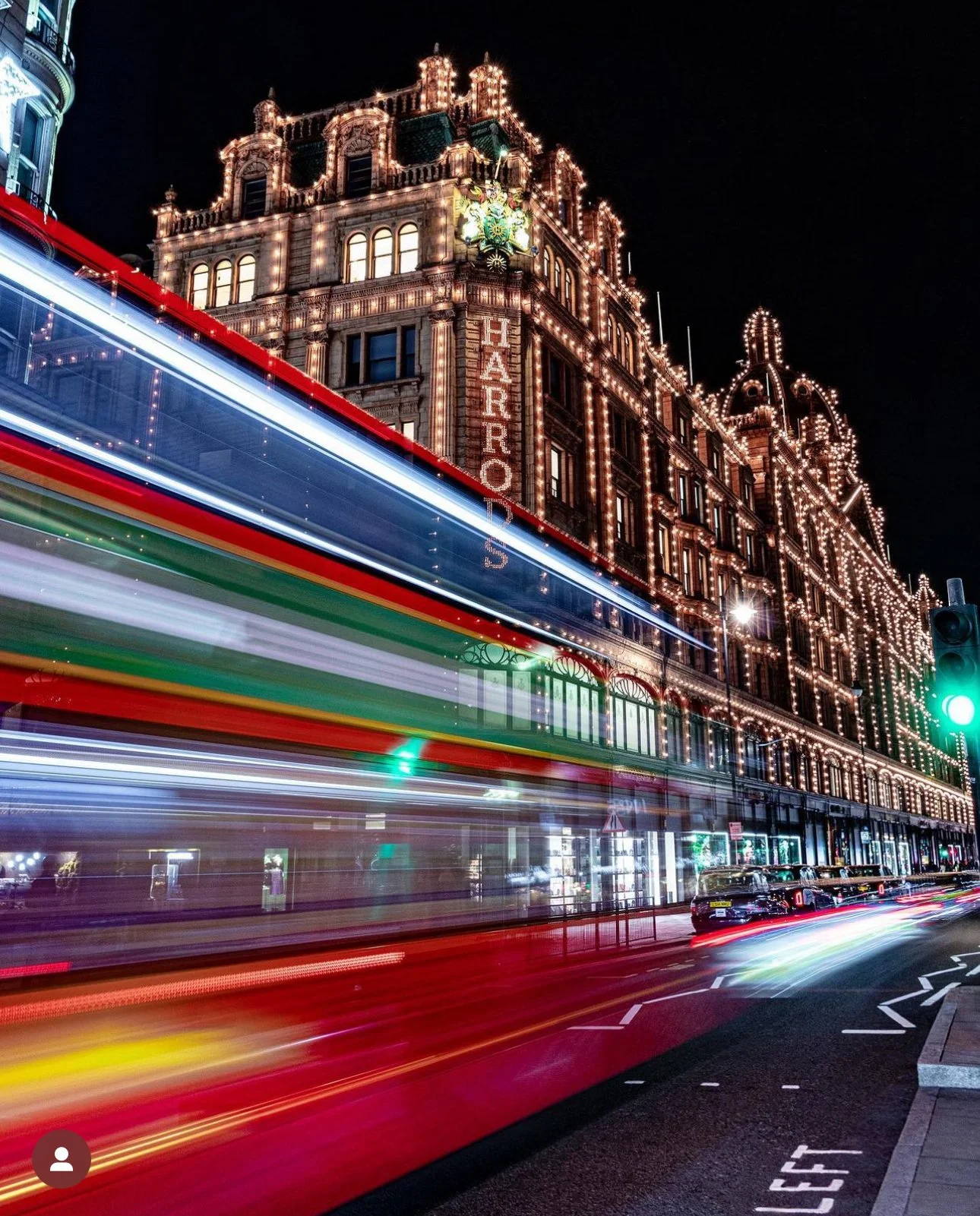
I used to live in London and was used to shooting in low light - night photography was a real staple for me, as were shots of “bus trails” and light trails. For a time, I was obsessed with taking cityscape images, with long exposure times to get either light trails or capture the motion blur of a bus that was driving through my scene.

After much experimentation, I figured out that for me, on my camera with my lenses, the optimum exposure time for a perfectly (in my opinion!) blurry bus was around 0.3 seconds. Notice that I said “around” in the last sentence? This is because it wasn’t always 0.3 seconds, there are a lot variables at play, not least the speed of the bus that was driving through your scene. If it was going too fast for my settings I wouldn’t get what I wanted. If it was going to slowly for my settings, it wouldn’t make it out of my scene and I would end up with something that I didn’t want.

What about portraits?

Surely for portraits, what you need is a fast lens and then just to shoot everything at f/1.8 also that you get good bokeh? Not in my experience.

Bokeh is great, we all love the way it looks, be that light orbs in the background of our images, or a blurry background that makes your subject ‘pop’ and creates some separation from background.

The issue is the focus plane. I try to imagine the focus plane of my image as an invisible entity that stretches from the front to the back of my scene. The higher my f number, the deeper the depth of field and the more of the image will be in focus.

But when it comes to shooting portraits, you want to be sure that all of your subject is in focus. I have found in my experience, the shallower the depth of field, the less of my subject is in focus and by the time I have looked beyond the focus of someone’s nose, I am starting to see a fall off in sharpness and by the time I have moved along that invisible plain to their ears, I am really not seeing as much sharpness as I should.

In the portrait scenario, your settings are not only going to be dictated to you by the amount of light that you have available, but also by your distance from your subject, and further more, your subject’s distance from the background. You might need to adjust your settings, your positioning and your subject’s positioning to make sure you are getting the level of focus you want and the correct exposure that you need.

If you’re doing headshots in a controlled lighting environment, against a backdrop and you can have your subjects stood on a mark, then this is going to be a little bit easier to figure out and to maintain your settings.

But if, for example, you are trying to tell a story in your images, then you are going to want completely different settings. Let’s say for example you are taking a series of portraits of people that tell us about the job they do and you are taking a portrait of a fisherman who works on a boat. You’re shooting on location at a harbour and his boat is moored up.

In this setting, you could set your aperture to f/1.2 and have a really buttery-smooth, bokeh’d background. Or… you could stop down your aperture ring to give you more of the background in focus so that you can see the harbour and the boat behind the fishermen. All of a sudden you have gone from a photograph of man who looks and dresses a bit like a fisherman, to a man who is a fisherman, with his workplace and working environment behind him to really sell the concept and to help to tell the story. Context, sometimes, is everything.

How About In The Studio?

Again, it’s a similar story here, but you do have much more control. This is because in a studio, you have full control over the lights - if you have a decent set of lights/strobes/flashes etc then you can control the brightness/intensity of the light, how soft or hard the light is (with the use of modifiers), how long it lasts for, where it is coming from and its distance from your subject, the way the light is diffused, the colour of the light… the list could go on.

What this means is that you could set your camera up and change the lighting settings or you could adjust your camera to the lighting scenario depending on what it is you are going for, but generally, if you’re changing one setting, you are going to need change something else.

In the studio, there is not a single set of perfect settings, the settings you need are going to be dependent on the look you are going for, what you are shooting (shape, size, etc) and how you need to present the final images to the client.

We are however, always looking for an image that is sharp, so our aperture is likely to be the overriding factor in our decision making here.

There are preferred settings…

… but there are no best settings!

Your preferred settings are the ones that you prefer. It doesn’t mean that they are the best ones - they might not be someone else’s. Think of it like this: If there were a set of best settings for every scenario, someone would have written the book, we’d all have a copy and we’d all be shooting the same images in the same way.

We’d also all be reading the book and thinking to ourselves “well they’re not the best settings for that situation, because what about that photo of x that I took at y”.

There’d be umpteen YouTube videos on the topic of “why I disagree with the best settings manual and what I do instead”. You see my point? These are personal, artistic choices/decisions based on an infinite number of possible scenarios with an infinite number of desired outcomes.

As you have probably gathered by now, there isn’t one single set of best settings for each of the situations you are looking to shoot. The best settings are dictated by where you are, the time of the day, the weather, the kit that you are shooting with and what your final intentions are.

Some of this is also going to be dictated by personal taste, especially when it comes to the creative aspects of your own work (if you’re doing client work then a big part of the creativity is going to be dictated to you, but remember that you’ve been hired for the way that you shoot, so your creativity still plays a role).

The best way to ensure that you can get the correct settings for your intended outcome is to practice, learn your camera and what it can do, what it is capable of and how to make it do what you want it to and how to programme the settings effectively. Spend some time learning about lighting, experiment and always have a project on the go so that you’re actively creating.

Thanks for reading, I hope you found this useful/insightful! If you’d like to be the first hear about new blogs and reviews and to keep up to date with what I am doing and see my latest work, please consider spending a few moments signing up to my newsletter.

If you’d like to support the blog and help me keep producing Lake District photography content, honest gear reviews and regular website updates, you can do so via my Buy Me a Coffee page. Keeping everything running smoothly takes time, and your support makes a real difference. Thank you.

Read More

Affordable Landscape Photography Accessories

Landscape photography doesn’t have to be expensive. In this guide, I share some of the best affordable accessories that can dramatically improve your landscape images. From sturdy budget tripods and essential filters to clever accessories that make shooting outdoors easier, these tools help you get professional-looking results without spending a fortune.
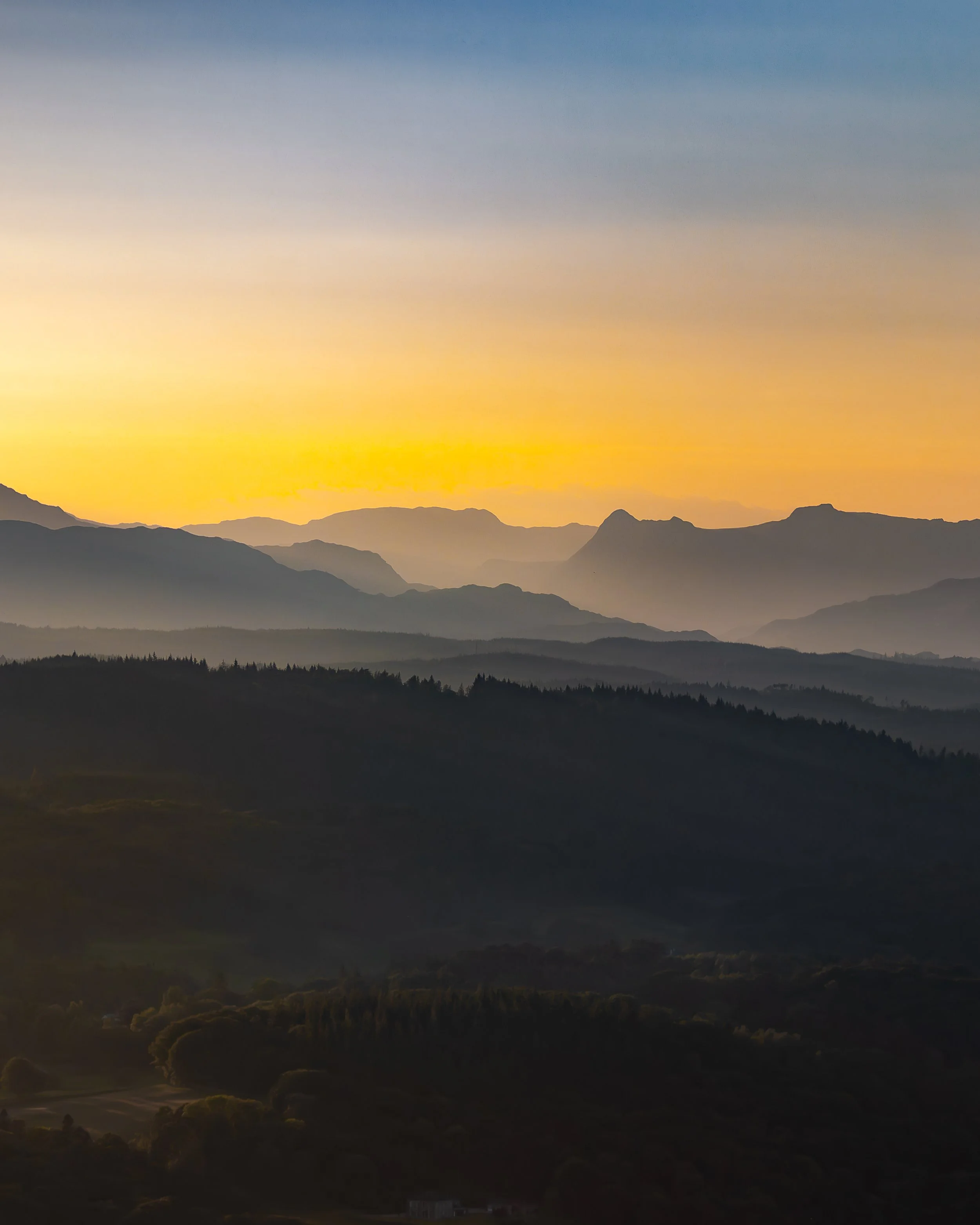
Landscape photography can be an expensive way to spend your time, but is there a way you can do it cheaply without being “cheap”. But what items are there out there that will give you the best experience whilst ensuring you can still get great results and being confident that your kit is going to survive?

In this blog I am going to look at some of the items that are staples of many landscape photography setup and find you some back-pocket-friendly kit that won’t break the bank, or your camera.

This blog contains Amazon affiliate links. If you mae a purchase after clicking one of these links, I may receive a small commission at not cost to you. This is a great way to support the blog and allows me to continue writing posts like this, I really appreciate every purchase you make.

Getting into photography can be expensive, and that expense can be magnified if it’s something you don’t end up pursuing as much as you thought you would. No one wants hundreds, if not thousands of pounds worth of gear just sitting in cupboard, unused and gathering dust.

When you’re starting out in Landscape Photography, the amount of stuff you ‘need’ to buy can be overwhelming and some of the prices are absolutely eye watering. There are tripods that run into thousands of pounds, filters that cost hundreds and other accessories that you don’t even know if you need or not. I am going to try and demystify some of that, starting now!

Tripod

Do you need it? Yes.

This is probably one of two things on this list that I would say is an absolute must, the other being the camera bag. Most of the other stuff you can get by without, but I can’t think of many applications, other than perhaps street photography, where owning a decent tripod is worth its weight in gold. Maybe not so much if you’re run and gun street photography.

Like I said before, these can run into thousands, but that’s not what this blog about.

I’m going with K&F concept for this choice. Until I went down the road of the more expensive Benro Mach 3, this is what I used for everything. They’re strong and steady enough for most applications, are lightweight and this one comes with a ball head, so you’re not going to have the expense of shelling out for that too!

L-Bracket

Do You Need It? If you have a tripod, you will wish you had one of these!

This is one of the best photography purchases I ever made. An L-bracket is a piece of machined metal which attached to the bottom of your camera and fits ‘inside’ the ball head of your tripod and allows the two things to attached to each. Because of its shape, it allows you to switch between portrait and landscape orientations quickly without having to rely on the your ball head. It seems a bit of an odd thing to have/want given that one of the major functions of the ball head is to switch your camera’s position, but trust me when I say that having an L-bracket makes this process much more straightforward and when you need to switch quickly, you'll be really grateful you have one. You can pick one up for less than a tenner, but they do run into three figures. I paid £9 for mine 4 or 5 years ago and it’s still going strong.

Some options are designed for specific cameras and because they are made in much smaller numbers, the price is much higher, the universal ones tend to be much cheaper. Just make sure that you get something hat is compatible with your own camera. I’ve linked a really affordable universal one below for your so you can start exploring some options.

Filters

Do you need them? Not necessarily, but they’re really useful!

This is going to depend on the types of shots you are aiming for, when you shoot and what kind of look you want to achieve in your photos. If you want to do long exposures when there is a lot of light, then you’re probably going to need some ND filters. If you’re shooting buildings with lots of glass, cars or bodies of water, then you’re probably going to want a polariser. Then there’s UV filters, colour filters, star filters and mist filters, as well as a bunch of others that I can’t/haven’t remembered.

Filters can also be crazy expensive and you get what you pay for, but as a starting point take a look at the range that K&F Concept offer.

K&F Concept do a wide range of filters, but the ones in orange boxes are an affordable entry point, usually around £20, but this is going to depend on the size of your filter thread - look on the barrel of your lens or check your camera’s manual.

Strap/Cuff

Do you need it? Probably!

Your camera probably came supplied with one, and if you’re happy with it, stick with it. Some people like to change because they want something more comfortable around their neck. Some people prefer a cuff/hand grip instead of a neck strap because it suits their style of photography better and some people just want something a little less ‘obvious’ - it’s not always a great idea to have the make and model of your camera hanging round your next.

There are tons of options available, but some of them are borderline prohibitively expensive. The one I am suggesting for you is from PGY Tech and looks seriously like the Peak Design Slide Light and has a similar quick release system. Camera straps are a really personal choice, you might prefer a woven one, a leather or one that’s more rope like. Get something comfortable and something you trust!

Camera Bag

Do you need it? Yes.

You’re gear is the only gear you have, and you want to be able to move it around be that in the landscape, off to a location shoot, or just in the car to an event. You have spent good, hard earned money on investing in your new kit and you need to make sure it is safe and looked after.

Camera bags are essential, but also a minefield. If you search Amazon you will find page upon page of results, if you visit the major photography retailers you will find at least ten different brands, none of them especially cheap. The last time I visited a major camera retailer, I piked up a bag that caught my eye to have a look at and as soon as I saw the £400 price tag, it went straight on the shelf.

Depending on your kit (how much of it you have and how big it is), you might want to consider bags from well known manufacturers like LowePro,Think Tank and Peak Design, but expect to pay big(ger) money for these.

Like straps, these are a really personal choice, and unfortunately if you decide to stick with photography then this won’t be the last one you buy - none of them ever are. I have been doing this for years now and I still switch between a couple of bags depending on what I am doing. That said, when I first started, I was using the Lowepro Tahoe 150 for everything, and at £60 this is a really good option for the beginner photographer, it holds plenty, is comfortable, unobtrusive and isn’t a massive bag.

I’m also recommending the one I have linked on the card below, the Tarion 15L Waterproof backpack. I like the back opening on this one as well as the side access, which is great for when you need camera quicker than you thought you would! Oh, and it’s only £38!

RGB Light

Do you need it? It depends.

This is something that I have in my bag 90% of the time. When I was living in London and mostly shooting in low light, it was there 100% of the time and I’d have two of them. Landscape photography in the Lake District tends to call for their use a lot less, but I like to have options to light any macro opportunities a little more creatively if the light is a bit flat, or simply if there isn’t enough of it!

There are hundreds of these available on Amazon and they are not all made equal! I have a couple of Smallrig P96L (catchy, I know) RGB lights. They are small and light with decent colour accuracy, and best of all can be picked up for less than £40

Remote Shutter Release

Do You Need It? Yes… If you’re shooting on a tripod.

This is something that I think is essential if you’re shooting on a tripod. The whole point of stabilising your camera is to limit or negate the amount of movement that you are introducing into your camera and lens. If you press the shutter button by hand, no matter how careful you are, you’re going to introduce movement, and if you’re shooting at longer focal lengths then you’re really going to notice it. Yes, there is an argument for using your camera’s self timer function, but there are some situations where you don’t want to rely on something happening in 2 or 10 seconds time. Sometimes you want full control over the moment of capture, and that’s where your remote shutter release comes in.

Be careful when you’re buying this - they’re more often than not brand specific, and in some cases even model specific so be sure to find one that works with your model and brand and camera.

Believe it or not (there’s a theme emerging here), there is a wide range of these on the market, some are really simple and some are more complicated and have extra features like interval timers and bracketing.

I’ve gone for something wireless, which pushes the price up a bit, but it’s always nice to have something without a cable that has the potential to move your camera. And again, don’t forget to check that you’re ordering something which is compatible with your camera!

In Conclusion…


Landscape photography is often associated with expensive cameras and specialist equipment, but the reality is that many of the tools that make the biggest difference are surprisingly affordable. Simple accessories such as a sturdy tripod, a polarising filter, or a remote shutter release can dramatically improve image quality and open up new creative possibilities.

What matters most is not having the most expensive gear, but having the right accessories that help you work more effectively in the landscape. A tripod allows you to shoot long exposures and keep your images sharp. Filters help control light and enhance colours. Small items such as spare batteries, memory cards, and a headlamp can make the difference between capturing a great shot and missing it entirely.

Many photographers gradually build their kit over time, adding accessories as they discover what they need most. Starting with a few well-chosen, budget-friendly items allows you to improve your photography without making a huge investment.

If you’re just getting started with landscape photography, these affordable accessories are some of the most useful additions you can make to your camera bag. They will help you shoot in more conditions, experiment with different techniques, and ultimately get more enjoyment from being out in the landscape with your camera.

Landscape photography is about patience, light, and being in the right place at the right time. The accessories listed in this guide simply help make that process easier, so you can focus on what really matters: capturing the beauty of the landscape.

If you found this guide helpful and you enjoy learning more about landscape photography, consider joining my mailing list. I occasionally send out emails with photography tips, new blog posts, gear recommendations, and updates from my latest shoots in the Lake District. It’s a simple way to stay connected and make sure you don’t miss future guides designed to help you improve your photography.

If you’d like to support the work that goes into creating these guides, you can also buy me a coffee. It helps cover the time and effort involved in writing articles, testing gear, and maintaining the website. Your support genuinely makes a difference and helps me keep producing free photography content for the community.

Read More

5 Beginner Lake District Landscape Photography Locations You Can Reach Without a Long Hike

Short on time or energy but still want great Lake District landscape photos? These five locations offer incredible views with minimal walking, perfect for beginners, visitors, or quick photography trips.
Welcome back! I am going to keep this one as short as possible, but at the same time try to give you enough information in a short space of time so that you can get out and shoot.

What follows is a list of 5 places you can take incredible landscape photos in The Lake District, without having a massive hike to get there. These will be great if you’re short on time, or if you’re short on energy but still want to get out. Nothing in here has more than a 20 minute to reach a great spot and get some great photos in the bag.

Gummer’s How

This one is the one with longest and most demanding walk, which is saying something as this one is an easy trek, which should take no longer than 20 minutes from the car, has a bit of climbing but is rewarded with incredible views across Windermere and many of the Lake District fells.

There’s a free car park just off Fell Foot Brow, which is run by Forestry England. You can find it at ///rated.soup.looms on What Three Words.

From here, cross the road and follow the signs which will lead you along a short trail with a slight incline, and then you’ll be met by a short, but much steeper climb up to the top of the hill.

Walk towards Windermere (you will be able to see it) and you will be rewarded with some breath taking views. This is a great place for sunset and you’ll get some incredible shots if the weather is in your favour. I prefer a long lens here as it lets you pick some of the detail in the scene.

Don’t forget your head torch for the way back if you’re planning on staying late.

If you’re planning for sunset, then check out my sunrise and sunset photography in the Lake District blog.

Queen Adelaide’s Hill

This is another one which is a short walk from the car and rewards you with great views across Windermere, without the walk up Gummer’s How. There’s even a bench at the top if you’re feeling a little out of breath. This is another good one for sunset. You can park at at Rayrigg Meadow Car Park (What Three Words: ///magpie.permanent.agent).

The path to Queen Adelaides Hill is largely paved, but there is a small section which is through a bit of woodland that can be uneven underfoot and isn’t paved so make sure you have the right footwear on.

Arrive in plenty time if you’re going for sunset, as this car park allows motorhomes overnight and it fills up quickly. It’s also not cheap and is run by the council so there’s no discount/free parking with your National Trust Card.

Head towards ///waiters.risky.loudness and you will be in position for some great views.

Surprise View

We’re heading out of the Southern Lake District and up to Borrowdale for this one. You’ll find Surpise View at What3Words ///copying.shadowed.bounding , with parking really close by. I would estimate the walk from the car to the viewpoint to be around 30 seconds… This is the shortest ‘walk’ on the list! You have incredible views of Derwent Water and down into Keswick from up here, and it’s great for sunset shoots, and also looks great at Blue Hour.


Whilst you are here, you can also bag a Lake District classic and bag yourself a shot of the packhorse bridge at Ashnesss, What3Words ///pills.index.remarried. This is a great place to go and do some long exposure work! Check out my long exposure blog by clicking here.

Wastwater

Moving out into the Western Lake District now, and we’re headed to Wast Water. I am not going to include a what3words location for this one, because there are so many great places to shoot from here. You’ll end up on the north eastern shore of the lake (the opposite shore is inaccessible unless you fancy a swim across England’s deepest lake) when you arrived and there is lots of parking at the side of the road (stay out of the passing places and park respectfully, please!). Once you’re parked, you can walk along the side of the lake and scope out some of the compositions that are spread out in front of you. Explore and have fun. This is another one that is great at sunset.

Blea Tarn

This one takes a little more central and comes with a weather warning. If the weather is poor, don’t go - check before your travel. In the winter, the roads leading up here become treacherous and are impassable in bad weather. You have been warned!

That said, in the summer, whilst you need to be careful on the roads, many of which are single track, your patience (and careful driving) will be rewarded with an easy walk up shot at Blea Tarn.

You can park at the National Trust Car Park (free for members!) which you will find at What3Words ///destroyer.marked.groomed . Leave the car park via the entrance you got in through, cross the road and follow the path. From here, the tarn is on your right and you can walk down to it. Make sure you watch where you put your feet and take good shoes - it can be very boggy. There are great shots across towards the Langdale Pikes and you will see some interesting wildlife here if that’s your bag as well.

This one is a good sunrise spot, get here early to secure the best spots.

Bonus Hidden Gem

This one is often overlooked and is little known. It is called Kelly Hall Tarn, which is in a village called Torver on the way into Consiston. There is parking at What3Words ///backdrop.shelters.quitter. Once parked, take a walk towards the back of the car park and follow the path which will lead you to the Tarn. It’s about a five minute walk, which can be boggy after rain and also boggy when it hasn’t rained for days. Be prepared. This is a great sunset spot, and is super dark at night for you astro fans!

And that concludes the blog! If you try any of these locations, let me know how you get on. I’m always interested to hear where people head first, and what conditions they find when they get there. Keep an eye on the blog for more beginner-friendly Lake District photography guides.

These guides are all written from time spent out in the Lakes with a camera in hand. If you’ve found it useful, buying me a coffee is a great way to support the site. You can also join my newsletter for future guides, photography tips, and new content as it’s published.

Check out some more of my latest blog posts below…

Read More
gear review, photography gear review, godox Chris Kendrick gear review, photography gear review, godox Chris Kendrick

Gear Review: Godox X3 Pro Wireless Touchscreen TTL Flash Trigger.

The Godox X3 Pro is a compact, touchscreen flash trigger designed for Canon photographers who want fast, reliable control over off-camera lighting. In this review, I take a practical look at how the X3 Pro performs in real-world shooting, covering its radio triggering reliability, touchscreen workflow, TTL and High-Speed Sync support, and how it fits into a modern Godox lighting setup. If you’re considering upgrading your flash trigger or moving to a cleaner, more portable lighting workflow, this Godox X3 Pro review breaks down who it’s for, how it performs, and whether it’s worth adding to your kit.

Ahhh, flash triggers! For years (for me at least) these have been unnecessarily difficult to use bits of kit with complicated menus, too many buttons and some of the least intuitive things I have ever had in my photography set-up.

The Godox X3 Pro-C was launched in late 2025, with initial availability starting in September/October 2025 and changed that! It is something that I have been wishing someone would make for a number of years and finally something has come along that ticked a lot of the boxes I was hoping for.

I’ve had a number of different flashes and I still own some of them. One of the first sets was some Neewer off-camera flashes (the catchily titled Neewer NW-562 E-TTL Flash Speedlite), which came with their own triggers and a manual which contained some literal translations which were largely unhelpful. They were a lot of faffing, but once I got some settings dialled in for the transmitter and the receivers, I didn’t change them. I could just about work with the plethora of buttons and dials on the flash to change things like the output power and the zoom, and I did find it handy being able to reposition them. I still have them as they make useful lights that I can hide in scenes to light them more creatively.

I eventually upgraded to some more powerful strobes, this time from Godox and went for the Godox SK400III, which I paired with Godox XPRO-C TTL trigger. This was a real step-up from the previous trigger as now I could set up groups and store some different settings. Again however, I found this really complicated to use. The old style LCD screen was, I found, very confusing, difficult to use and to be quite honest, a bit of a pain. It did however give me some more flexibility and allowed me to do a little bit more. When I say ‘allowed’, what I mean is that I could control the strobes from the trigger rather than having to go and off fiddle with two set of buttons on two different flashes.

More recently, I have taken delivery of the Godox X3 Pro C Wireless Touchscreen TTL Flash Trigger. Yep, you guessed it, I got in the Black Friday sale last year, and I have had a couple of months to play with it before giving you my thoughts. One of my overriding thoughts is that they need to come up with some better names for these things!

This blog contains Amazon affiliate links and I may receive a small kick back if you make a qualifying purchase after you have clicked one of these links. This is a great way to support the blog, so a massive thank you goes to you if you choose to make a purchase, all of the money I make from this goes back into helping me to create reviews for the blog, it’t not a huge amount, but every little helps!

First Impressions:

This is much smaller than previous triggers that I have owned, yet you don’t lose any of the screen real estate that you want with a piece of gear like this. It’s light, which is a real bonus when you’re sticking it on the top of your camera via the hot shoe. One of the other things I like about it is that it has a built in rechargeable batter - HOORAY - no more faffing about with AA batteries which cost a fortune or rechargeable ones that never seem to last very long. The battery is rechargeable via a USB C cable which comes supplied.

It’s a lovely little object to hold, the plastics feel solid and the branding is fairly tame which means it looks quite subtle.

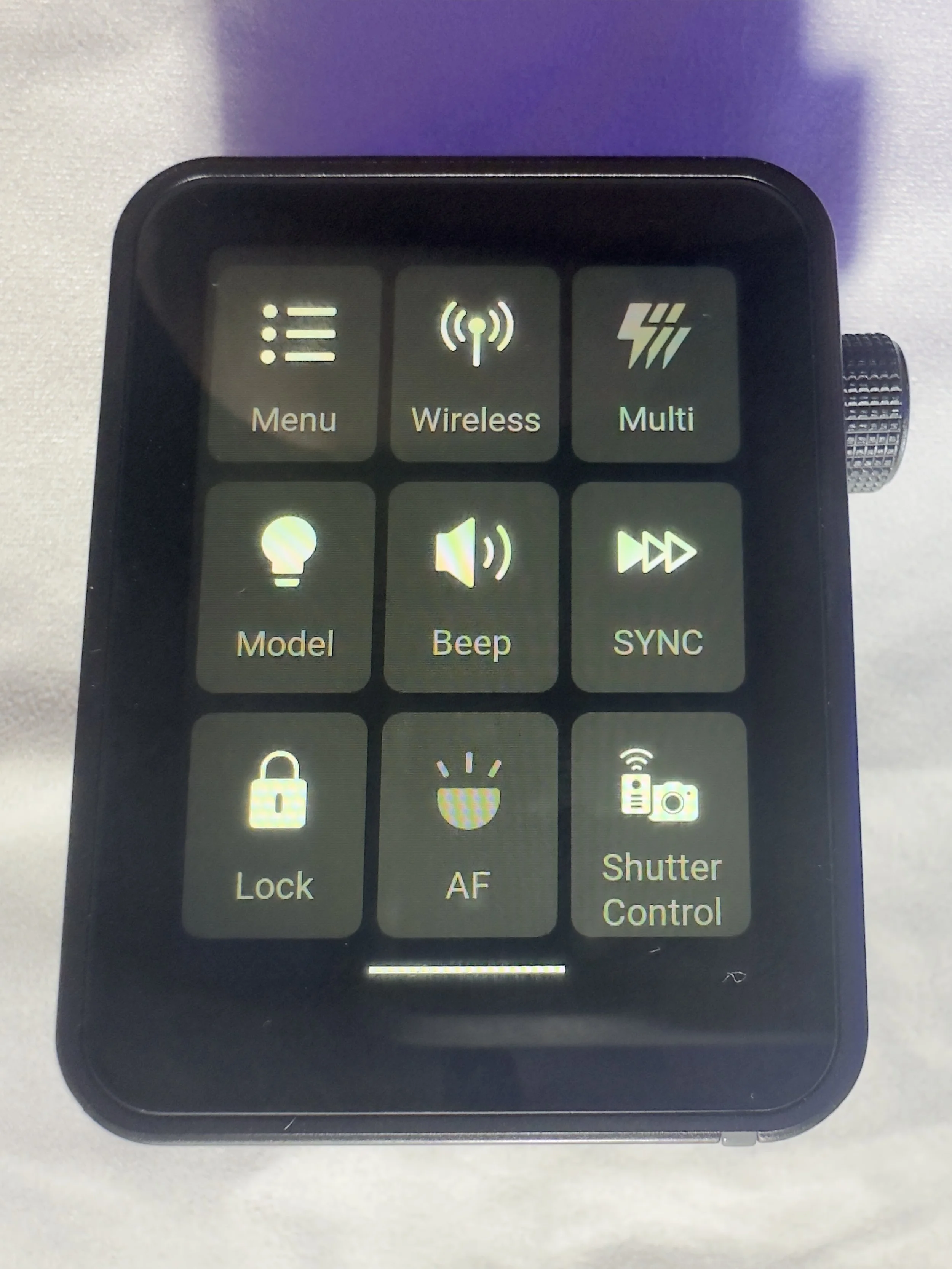
The touchscreen is bright and responsive. It’s also big enough that you’re not forever bumping icons you didn’t mean to and it’s not so sensitive that you’re accidentally changing your settings by just brushing against it.

There are 2 buttons on the right hand side, which give solid feedback when your press them (one of these will test fire the flash and the other is the power/menu button). Finally, on the same side, you have a multifunction wheel, which you can turn to navigate the menus and press to make selections, it has a reassuring click which lets you know you’ve made a selection. This might be handy if you’re working somewhere cold and are wearing gloves, or if you struggle to use your hands to make the changes via the touchscreen.

On the front of the unit there is an autofocus assist beam and at the bottom of it there is mechanical button which retracts a pin on the hot shoe to enable you to release it from the camera when you’re ready to pack down.

It came with about 60% charge already in the battery and to charge it to full took about 45 minutes. I don’t know what the full battery life is, but it’s been enough to get me through a full day’s shooting.

My Experience with The Trigger

I have really enjoyed using it so far. Once I had everything set up (which took no more than a few minutes after I had watched some YouTube videos), I was ready to go and shooting. I had someone booked in for some headshots not long after I took delivery of it and it got me through the whole session with no issues (I did have the old one on standby just incase I ran into any issues), I was able to make range of adjustments which synced to the strobes with no issue.

One thing I really like is that you can scan the 2.4ghz frequencies and the trigger will tell you which channels are the clearest ones for use in the environment you are, and then you can set this on the strobes and the trigger. I use each of my flashes in its own group and I don’t bother with the ID numbers as I am not often working in an environment which requires me to do this. I have however, messed around with creating different groups and using ID numbers for the purpose of this review, and have found that it’s a fairly straightforward process.

There is a slight lag from when you make changes on the trigger to them registering on the flash, whilst this hasn't been an issue for me, it’s something worth knowing. We're talking about delay of less than a second, but I know there are people who aren’t going to be into this.

What other features does it have?

One little ‘'bonus’ feature of this unit is that you can also use it as an intervalometer, but you will need to connect the trigger to the camera with 2.5mm TRS cable (male to male). These are less than a tenner for two if you click the link I have just posted, but a lot of you might find that you already have one of these knocking around at home somewhere, especially if you have purchased flash gear before.

One of the big plusses, for me at least, of this trigger is that it is a radio trigger so this does away with the need for line of sight to enable you to trigger the flash, which gives you some more flexibility on set/location and it saves the need for the use of optical slaves.

Switching between TTL and manual flash is straightforward, which is especially useful when working in changing light conditions.

The updatable firmware is also a huge bonus for lighting setups and products which are constantly evolving, and will reduce the need to keep spending money on buying new gear.

You can also change the trigger distance or range and you have two options here, 0-30 metres and 100m. I have found that when I am shooting in the studio, it’s much more reliable and has fewer misfires when working in the 0-30m setting. I haven’t used it outside yet, so can’t say if it works well up to 100m.

Finally, in the menus there is a function called ‘legacy’ which allows you to turn off all but one of the pins on the hotshot (the centre one), which means that it has greater functionality across a range of older camera bodies. You should be sure to check that your camera is compatible with the unit before you buy it.

Who is this for?

The Godox X3 Pro-C is ideal for photographers who want a compact, modern flash trigger without sacrificing control or reliability. It’s particularly well suited to Canon shooters who regularly work with off-camera flash and want a streamlined, clutter-free setup that travels easily. If you shoot on location, work with multiple light groups, or frequently switch between TTL and manual flash modes, the X3 Pro-C’s touchscreen interface and intuitive layout make lighting adjustments quick and efficient.

It’s also a strong choice for photographers moving away from optical triggering and into a radio-based workflow, offering dependable performance indoors and outdoors without line-of-sight limitations. Those who value portability, a clean camera setup, and fast access to lighting controls will appreciate what the X3 Pro-C offers.

However, photographers who prefer physical dials and buttons, work extensively in cold or wet conditions, or want interchangeable batteries may find a more traditional trigger a better fit.

Where Can I Buy One?

The easiest place to get one of these is on Amazon, where you will find it for around about £88. Make sure that you buy one which is compatible with your camera. There are a number of different versions, so don’t end up with something that you need to return! The ‘C’ in the name of this one stands for Canon, there is an ‘S’ for Sony and so on. They are clearly labelled with the camera brand on Amazon.

Pros and Cons

Pros

  • Bright touchscreen with intuitive navigation and operation.

  • Small profile makes it great for travelling and on location marking.

  • Supports Canon TTL metering and high speed sync

  • Uses the Godox X system which gives compatibility across a wide range of flashes/strobes

  • Built in USB C rechargeable battery negates the need for a high pile of AA batteries.

  • High speed sync speed up to 1/8000 if your camera supports it.

Cons

  • Touchscreen can be fiddly in cold and wet conditions

  • Not hot shoe pass through. Once it’s attached, there is no way to connect anything else, which could be a limiting factor in some setups.

  • More expensive than some other Godox triggers without much development around the core functionality.

Final Thoughts

The Godox X3 Pro-C is a strong choice for Canon photographers who want a modern, streamlined approach to off-camera flash control. It delivers reliable radio triggering, a clean and intuitive touchscreen interface, and a compact design that keeps camera setups lightweight and uncluttered. In real-world use, it offers all the core functionality most photographers need, from multi-group control and TTL support to High-Speed Sync for working in bright or fast-changing light.

While those who prefer physical buttons or interchangeable batteries may gravitate towards more traditional triggers, the X3 Pro-C excels in ease of use, portability and workflow efficiency. For photographers looking to simplify their lighting setup without compromising on control or performance, the Godox X3 Pro-C is a capable and well-designed trigger that fits comfortably into both studio and on-location workflows.

Technical Specifcations

Godox X3 Pro-C (Canon) – Specifications

Quick reference spec sheet

Compatibility
Canon EOS (E-TTL / E-TTL II)
Wireless system
Godox X 2.4GHz radio
Range
Up to approx. 100 m
Channels
32
Wireless ID
01–99
Groups
A–E + ALL
Flash modes
TTL, Manual, Multi
High-Speed Sync
Up to 1/8000s
Flash compensation
±3 EV (1/3-stop steps)
Sync modes
Front & rear curtain
Interface
Colour touchscreen
Power
Built-in rechargeable battery
Charging
USB-C
Firmware updates
Via USB-C
Mount
Canon hot shoe (quick-lock)
Remote control
Power & zoom control on compatible flashes
Size
Approx. 72 × 51 × 38 mm
Weight
Approx. 48 g