My Photography Blog

Welcome to the Chris Kendrick Photography Blog, where I share the stories, challenges and inspirations behind shooting Lake District landscapes and working as a Cumbria-based photographer. Alongside behind-the-scenes reflections from the fells and lakes, you'll also find honest photography gear reviews, covering the cameras, lenses and accessories that genuinely perform in real Lake District conditions. Whether you’re passionate about landscape photography, exploring Cumbria’s scenery, building your kit, or simply curious about the craft, there’s something here for you.

Some posts include affiliate links; thank you if you choose to support the blog through a qualifying purchase. If there’s a topic or piece of gear you’d like me to cover, let me know. Enjoy exploring!

Enjoy!
Chris Kendrick Chris Kendrick

Landscape Photography for Complete Beginners

A friendly, step-by-step guide to landscape photography for complete beginners. Learn the core camera settings, composition basics, focusing, and how to work with light so you can capture sharper, more compelling images from your very first outings.
I suspect that those of you who are reading this, are, probably going to fall into one of three categories: People who have got a new camera and are taking their first steps in landscape photography, people who have some experience in photography and are looking to to move their skills on to their next level and more advanced photographers who are looking to develop their skills in a new genre/style of photography.

This isn’t intended to be a fully comprehensive guide to landscape photgraphy, but more of a boarder overview into some techniques and practices that will hope you to develop a basic set of skills that will get you out in the field and making some images that you bring home to evaluate, edit and share.

If you’re completely new here or you’re brand new to photography, I’d recommend you go and read my beginner’s guide to the exposure triangle and make sure that you’re familiar with this before you head read further into this blog and before you head out into the field to start using your new toy.

Another one of my blog that would be worth some time of yours, at some point is my blog about must have apps for landscape photographers. These are going to be a great help to your during your shoot planning and will help you to check the weather, calculate exposure times and, perhaps most importantly figure out where to shoot and how to get there.

I am going to say this at the start: STAY SAFE! I’m not responsible if you go out and hurt yourself! The mountains and the scenery will be there tomorrow, make you are too. If you’re going alone, let someone know where you are going and when you expect to be returning. If you’re heading into the fells, take a map, the batteries won’t run out in and it’s always going to have signal. Oh and if it might get dark or start to get dark whilst you are out, take your head torch. Finally, (albeit not exhaustively), make sure you are wearing terrain appropriate footwear and weather appropriate clothing.

There are going to be some assumptions made throughout this blog: I am going to assume that you have your camera and that you have a kit lens to go with it (this is going to have a focal range of around 18-55mm and a variable aperture of around f/3.5-5.6), a tripod to mount it on (and a way to attach your camera to your tripod) and that you’ve got a bag to carry it all around in. If not, then if you have a read of my blog “What gear do you really need as a beginner landscape photographer?”. This should give you some ideas about where to start, and not too epxensively.

So now that we have looked at some basics and managed to minimise any gear talk, what should you be thinking about as a beginner photographer?

RAW vs JPEG

These are the two types of file that your camera is able to write to your card when you press the shutter button. You’ll need to tell the camera what type of file you want. Both have their advantages, but if you want flexibility when you are editing in Lightroom, you want RAW files. If you want faster results and photos that you don’t need to much colour correcting and exposure adjustment on, you want jpegs.

So what’s the difference? RAW files contain a lot of data about the colour and light in the photo that you have taken.

The advantage of them is that when you import them into your editing suite (lightroom/affinity/other), you can get more creative with the image and this gives you more scope to be creative with your edits. These files in their original state will not be suitable for sharing/printing. They will often look dark and flat - pretty unappealing. Once you have spent time editing them, you will have something to be proud of, but be prepared to put the work in to edit them images. These are big files and take up quite a bit space on your card and your hard drive so storing them can get expensive if you’re shooting a lot.

JPEGS on the other are much smaller in terms of file size, and this is because they are compressed files. When you take the image on your camera, it applies a colour profile to the image and makes it look “ready”. It's essentially a little a bit like taking a photo on your phone. Because of the way the file is compressed, it means that they’re not great for editing. If you try and adjust colours in a jpeg, or you try to increase exposure or contrast (for examople), you’ll find that they quite quickly start to look a bit strange and they don’t look natural. There is a limit to what you can do with them before they’re unusable.

Most camera will allow you to shoot just a RAW file, just a JPEG and RAW + JPEG. The last option is great as it gives you the best of both worlds.

Ultimately, if you plan on editing your photos, shoot in RAW. If you don’t want to do that and you want to take photos that are “ready to use” then shoot JPEG. You’ll need to consult your camera’s manual to see how to alter this setting for your individual camera.

Shooting Modes.

Some people will tell you that to be a “proper” photographer, you should be shooting in manual mode. This isn’t the case. Lot’s of pro’s shoot in aperture priority or shutter priority (called aperture mode/value and time mode/value on some brands of camera) and there is nothing wrong with this. When you’re learning, there’s nothing wrong with shooting in auto, but if you want more complete control of the final image you capture, you’ll want to learn to shoot in one of the other modes I have mentioned.

What mode you choose is largely going to come down to what you are shooting, but because landscape photography tends to be much slower, it often makes sense to shoot in full manual mode. Street photographers often prefer to shoot in aperture priority as it makes things a bit quicker for them.

But what’s the difference? In manual mode, your are in full control of all three aspect of the exposure triangle (aperture, ISO and shutter speed). In aperture priority, you choose the aperture and the camera will select your ISO and shutter speed, if you shoot in shutter priority you choose the shutter speed and the camera adjusts the other settings to help you to get the desired exposure.

If you are letting the camera choose some of the settings for you, you might want to investigate your manual and find out how to set the maximum aperture, maximum ISO and maximum shutter speeds you want it to use. ISO in particular, if set to auto could add things to your image that you don’t want like (like ISO noise) which can be hard to deal with and can affect the look of a photo.

I like to shoot in manual mode for the most part. It’s not because I think it makes a better photographer, but because I know that it gives me the most control and forces me to make deliberate decisions about what I am doing with my camera and therefore the resulting image. I don’t shoot exclusively in manual mode, but it is the one that I use more than any other.

Focus Modes

On the surface this is a bit more straightforward as you’ve only got two modes to shoot in; manual focus and autofocus. If you choose autofocus then it gets a bit more complicated as there will be lots of different autofocus modes on your camera. Talking about all of these is a complicated issue as they vary from brand to brand and camera to camera. You should read the user manual and search YouTube videos to discover more about the specific autofocus modes on your camera.

If I am shooting landscapes then I am using manual focus. I’m usually shooting on a tripod so that I have a steady based to work from and I am choosing where in the image I want to focus myself. You adjust the focus by twisting the focus ring on your lens and look in your viewfinder or on your LCD screen to see when you have got the image sharp. Once you’re happy, you can click the shutter and review what you’ve got.

It’s always worth checking the focus after you have taken the image, and using the zoom buttons on your camera to zoom into the focus areas to check that it is ‘properly sharp’.

This an area where you can get really creative, especially with depth of field (controller by your aperture and the distance between your lens and the subject) and this can create depth and layers in your image. The key is to experiment and discover what you find pleasing.

There are of course, some caveats to focusing and these are largely down to the limitations of your chosen lens. All lenses, no matter how expensive, have limitations and we can’t always get everything that we want to get in focus, in focus; we can’t break the laws of physics! As you get better and your confidence builds, you may want to explore focus stacking, but this is a much more advanced technique that we can explore at a later date.

Composition

This is a never ending topic, but composition is important. Like really important. Alongside lighting, it is one of the trump cards in photography.

There are rules in composition, but remember that rules can be broken. The common ones you will hear about are the rules of thirds, leading lines and framing.

The rule of thirds: The frame is divided into a 3×3 grid. Placing key subjects (a tree, a person, a horizon) along these lines—or at their intersections—creates a more dynamic composition than centring everything.Put the horizon on the top or bottom third, not the middle. Place the main subject on a left or right third line.

Leading Lines: Leading lines are natural or man-made lines that guide the viewer’s eye into the image—from roads and rivers to fences, shadows or architectural lines. Lines draw attention and create depth, helping the viewer understand where to look first.

Position yourself so a path or shoreline leads toward your subject or use curves to add elegance and movement to the composition.

Framing

"Framing" means using elements in the scene—like archways, branches, windows or rocks—to surround or partially enclose the subject. It adds depth, focuses attention and creates context within the wider environment. Shoot through a doorway or gap in trees or use overhanging branches or rocks to frame a landscape.

Examples showing different compositional techniques or ‘rules’

Planning

Fail to prepare = prepare to fail. Know where you want to be, when you want to be there, how you’re going to get there, and equally as importantly, how you’re going to get back. Have a look at some locations you want to visit and check them out online and see what books you can find to help you to get the most from them. There are some great photography guide books out there, such as this one which talks about photography in Scotland - there’s a whole bunch of them in this series, but don’t be too influenced by what you read and what you see online. You’ll just end up taking the same photo as everyone else.

You also need to think about the weather - what clothing do you need and what impact the weather is going to have on where you can go.

When I was photographing London, this wasn't as much of an issue as it’s the weather doesn’t make it any more dangerous, but in the Lake District (or anywhere else where you can end up isolated or at the top of a mountain) it can make the landscape deadly. As always, the moutains will be there tomorrow, make sure you are too!

Kit… what are you are taking with you? If you are a beginner, then you’re probably going to be taking your camera and your kit lens, hopefully in some kind of camera bag and you will have tripod. You don’t need to spend a fortune on a tripod, but the more you spend, generally, the better and lighter they become. That’s all you need to get started!

I think my biggest advice for your first shoot would be to go somewhere that you know and somewhere that you love. It’s even better if you have multiple different shots that you aim to grab whilst you’re out and about. Unfortunately these places are likely to be busy which means that if you don’t want people in your images (and sometimes you won’t), it’s going to make this harder. It also means that are likely to be other photographers and if it’s your first time out doing landscape photography, that can be a bit daunting. Don’t let it put you off. For the most part, we’re a friendly bunch and we love to chat about photography and some of us love to help!

Don’t Worry What Other People Think

You are probably going to feel really self conscious the first time you go out. You might be carrying a tripod, you might be using your camera on your tripod, and that makes you stand out. No one cares. People might be interested, which is great.. talk to them and be kind! People are used to seeing landscape photographers in places that are nice to look at. They’re used to seeing street photographers in towns and cities. We’re everywhere!

I remember the first time I went out to shoot when I lived in London. I felt like everyone was looking at me, especially when I was set up on a tripod. Truth is that there were far weirder things than a bloke taking photos in the city… life just passes by in London and everyone seems to have somewhere that they want to be and they wanted to be there yesterday.

Now I know that it’s very different up in the hills, there are fewer people and the people that are there are spread out but generally walking on the same paths, looking at the same locations. People will notice you but as long as you’re not being selfish or behaving like a k**b then no one minds that you’re there and no one cares that you are. Do you thing and move on when you’ve got what you need and have taken some time to enjoy the view.

You won’t always have the place to yourself. I remember going to Elterwater very early on a winter’s morning, like really early and being amazed that were at least 10 other photographers at the location with me. It’s just one of those things… beautiful places attract landscape photographers. That’s a fact that you need to deal with.

Talk to People.

For the most part, landscape photographers are a friendly bunch who like to talk and who like to help. There is a real community in photography and you should embrace it. Talking to people is one of the best ways to learn - listen to what people have to say, take not and then do your research to see how it will work for you (or if it will work at all) and then try to use it.

I have made some wonderful friends whilst out doing photography. I am part of a WhatsApp group of photographers that I know and have met from my time in London (it’s not some weird social media engagement group), but it’s a great place to learn, share images and get feedback on them, ask questions and to get support and advice.

Community in photgraphy is really important. Be a part of it. I’m going to explore the idea of community in photography in another blog post later in the year (it’s saved in the drafts at the moment whilst I figure it out), look out for it… if you want to get notified about it then sign up to my newsletter via the contact page.

Social Media

You probably want to share your images with people, and when you start out, social media is a great way to share them. Don’t expect to amass a huge following overnight. The way that social media works these days means that this is much, much harder than it used to be. Some people get lucky and have such good content that they can still do this, but those instances are much fewer and farther between.

Do it for the love of what you do and to put you images out there.

If you’re serious about it, have a strategy stick to it and adapt it. There’s a ton of stuff on social media that will help you with this, but choose wisely and don’t spend money on social media advice!

Use your social media platforms to network with other photographers. Don’t worry about the likes, don’t worry about the engagement (at least not when you’re starting out), just do it because you can and because you enjoy doing it, and don’t ever feel like you are under pressure to post.

This isn’t Everything…

I could go on for hours about all of the stuff I think you should know and you’d spend more time reading this that you do shooting, and that would be counterproductive. Different photographers are going to give you different advice, and that’s good, just choose the advice you take carefully.

Get out There and Enjoy It!

No matter where you are and where you live, the best thing you can do to get better at photography is to get out there and practice. Take the images. Make the mistakes, learn why the mistake happened, learn to correct it and have another go. You’re not going to get better sat on your behind not taking photos.

Thanks for reading - I hope you have found it useful. If you want more stuff like this as well all of the updates, please head to the contact page and sign up to my newsletter and get updates direct to your inbox!

If you’d like to support the blog and help me keep producing Lake District photography content, honest gear reviews and regular website updates, you can do so via my Buy Me a Coffee page. Keeping everything running smoothly takes time, and your support makes a real difference. Thank you.

Read More

Landscape Photography Workshops in The Lake District

Discover how landscape photography workshops in the Lake District can transform your skills. Learn to master light, composition and editing with expert field guidance.
There is something different about learning landscape photography in the place that inspires it the most. For me, that’s the Lake District and I’m lucky enough to live in amongst the stunning surroundings that it offers.

But the Lake District isn’t just a beautiful backdrop and a gorgeous place to live, but it’s living, shifting environment. Light moves quickly and it is often fleeting - it’s gone just as soon as it has arrived. The cloud and contrast change by the minute and knowing how to respond is what separates a snapshot from a portfolio image.

That’s exactly what a well-run landscape photography workshop will help you to develop.

Why Choose a Landscape Photography Workshop?

You can learn settings from YouTube and you can read about composition in a book, but actually being in the landscape with someone guiding you and talking about the decisions available to you in real time… that’s something very different.

A workshop allows you to:

  • Understand light direction and timing in real conditions

  • Refine composition beyond the obvious viewpoint

  • Learn how to work with weather rather than fight it

  • Improve confidence using filters, tripods, and exposure techniques

  • Develop a more consistent editing workflow

Most importantly, you learn how to see — not just how to shoot.

This variety makes it an exceptional classroom. You can practise:

  • Long exposure techniques on moving water

  • Foreground interest and depth

  • Working in high-contrast mountain light

  • Minimalist compositions in mist

  • Seasonal colour control in autumn and winter

Every session is different because the landscape is never the same twice.

What You Should Expect From a Professional Workshop

A good landscape photography workshop is not a “follow me and copy this shot” experience.

It should include:

Location Planning

Understanding why a location works at a particular time of day. Learning how to plan using light direction, season, and weather forecasts.

In-Field Technical Coaching

  • Aperture, shutter speed, and ISO in context

  • Histogram use

  • Exposure bracketing

  • Focus stacking

  • Filter selection (ND and polariser)

Composition Development

Going beyond central framing and obvious angles. You’ll explore layering, leading lines, negative space, and visual balance.

Post-Processing Guidance

Capturing strong files is only part of the process. Editing is where you refine mood, contrast, and colour.

Whether you use Lightroom, Photoshop, or both, understanding why you edit — not just which sliders to move — is crucial.

Who Are Landscape Photography Workshops For?

They’re often assumed to be for beginners, but that’s not really the case.

Workshops can benefit:

  • Complete beginners who want structure and clarity

  • Enthusiasts stuck in a creative plateau

  • Photographers transitioning to manual mode

  • Professionals looking to refine their landscape portfolio

  • Travellers wanting meaningful photography experiences

The key isn’t your level — it’s your willingness to learn and experiment.

Small Group vs One-to-One Workshops

Both formats have strengths.

Small Group Workshops

  • Shared learning

  • Broader discussion

  • Social experience

  • Cost-effective

One-to-One Workshops

  • Tailored tuition

  • Flexible locations

  • Personalised feedback

  • Faster technical progression

Choosing the right format depends on how you learn best.

What You’ll Really Take Away

Beyond sharper images and better compositions, most photographers leave with:

  • Greater confidence in difficult lighting

  • A clearer creative direction

  • Improved understanding of workflow

  • The ability to plan shoots independently

You move from reacting to conditions to anticipating them.

And that changes everything.

Why I Run Landscape Photography Workshops

I moved to Cumbria because landscape photography became more than just a hobby. It became how I see the world.

Spending hours exploring fells before sunrise or waiting for light to break through cloud teaches patience, observation, and decision-making.

Workshops allow me to share not just camera settings, but process:

  • How I plan shoots

  • How I adapt when conditions change

  • How I build a consistent editing style

  • How I approach landscape photography commercially

If you’re serious about improving your photography in the Lake District, a structured workshop accelerates your growth far more effectively than trial and error alone.

Final Thoughts

Landscape photography isn’t about chasing iconic viewpoints.

It’s about understanding light, timing, and intention.

A workshop won’t just give you better images from a single day — it will give you the skills to create stronger photographs long after the session ends.

If you’d like to explore the Lake District with guidance, structure, and practical field experience then get in touch. You can learn more about my Lake District Landscape Photography workshops here.

Thanks for reading - this has been a quick one today, but I hope you have found it useful. If you want more stuff like this as well all of the updates then sign up to my newsletter by clicking here.

If you’d like to support the blog and help me keep producing Lake District photography content, honest gear reviews and regular website updates, you can do so via my Buy Me a Coffee page. Keeping everything running smoothly takes time, and your support makes a real difference. Thank you.

Read More

Focus Stacking: How to Get Sharp Images in Landscape Photography

Focus stacking is a powerful technique that allows photographers to achieve sharp focus throughout an entire image, from foreground to background. In this beginner-friendly tutorial, you will learn what focus stacking is, when to use it, how to shoot the required images in the field, and how to blend them together in post-processing for professional results. Ideal for landscape and macro photographers looking to improve image sharpness and detail.
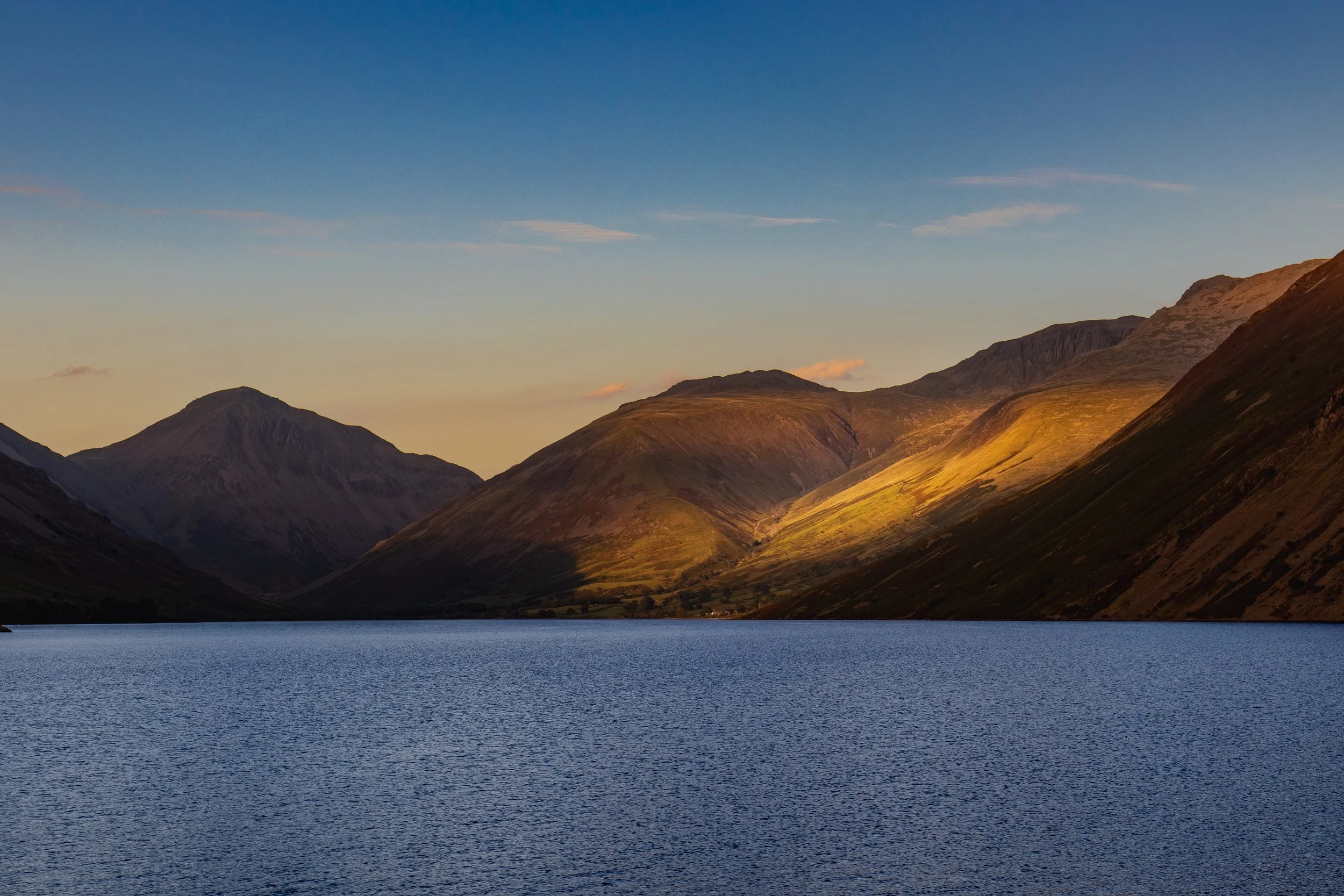
Sharpness. It’s a hot topic in photography and it’s never going to of away. We all pixel peep whether we admit to it or not, and not just for our own photos.

However, there are limitations to our equipment, even the very best, most expensive lenses can only achieve so much sharpness - you can’t beat physics, you just have to adapt to it. You can come close. Coming close is expensive, and expensive will only get you most of the way. Sometimes we just have to work with what we’ve got and that usually involves using our computer and some editing software.

For this one, we’re going to be using Photoshop, as it’s the easiest and quickest way for us to get the results we want.

What is Focus Stacking?

A good starting point for this would be to look at my blog on exposure blending if you’re not sure about it and then come back and finish this off. If you’re already au-fait with exposure blending/stacking then read on!

Focus stacking helps us to ‘remove’ some of the limitations of our lenses. Even at their sharpest f/stop, there are parts of the image (often the corners), that aren’t as sharp as we would like them to be. With focus stacking, we can take several different exposures of the same subject, with different focus points, usually working from the front of the image to the back and then we can blend them together in Photoshop which creates one image which is sharp across its whole area.

How Do You Focus Stack?

The first thing you need to do is to take your images. I am going to use an example which I have taken in the studio, for the simple reason that this is the place that I have the most control over as much of the process as possible. I’m going to be shooting tethered using capture one, but the process you will go through will be exactly the same, be it in the studio or out in the field. The major difference is that when you/I are working out in the field, instead of being in the warmth of the studio and working on a nice big monitor, we’re often out in poor conditions and working on the ‘tiny’ screen on the back of the camera.

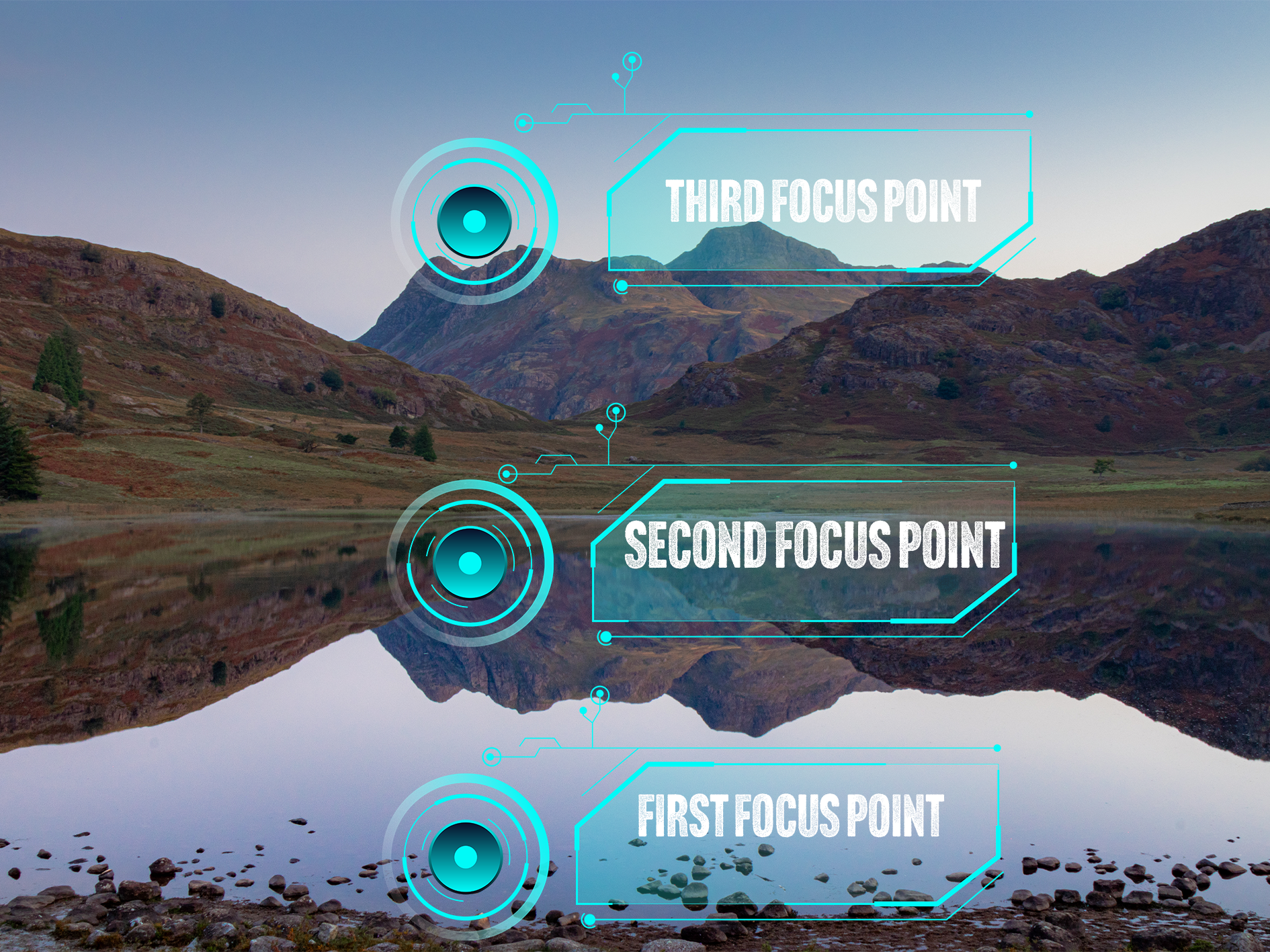
Essentially, what we’re going to do is take at least 3 different exposures. In the first image, we are going to make sure that our foreground, or the front of our object is in focus, in the second image, we are going to focus on the mid ground and then finally, we are going to focus on the back of the image; this will either be the back of your object in the studio, or on infinity if you are out in the field. I have tried to visualise this for you in the image below.

This image shows where your (minimum) 3 focus points will be when you are shooting images for an exposure stack.

How many shots you need is going to be influenced by what you are shooting and what you are shooting on, what f/stop you’re at and if there is any movement in your scene. Three exposures is a good rule of thumb for this type of photography, if you take too many images, this can start to complicate things in post processing and your image can end up looking strange, have weird artefacts in it when your exposures are blended or simply, it just won’t work!

The other thing to remember is that you need to keep your settings locked in. If you start to change the settings on your camera between each exposure, this can cause issues and slow down the process.

Finally, you need to (99.9%) of the time, do this on a tripod. You want your exposures to line up exactly between shots, if they don’t, guess what… more complications!

So you’re set up, you’ve got your shot framed and you’re ready to start shooting. The next phase of this is going to be dependent on the camera you have. A lot of newer Canon camera’s have a focus stacking setting built into them. You will need to consult your camera’s manual for instructions on how to do this, but you can tell it how many images you want in the stack and how much you want the focus to shift between each image. The other way of doing it, and the way I am going to describe in this blog (because my camera doesn’t have the focus stack function!) is manually, using either manual or autofocus.

This is fairly straightforward.

1) Frame up your shot and select your settings.

2) Focus on the foreground by either twisting your focus ring, or tapping the screen to select a focus area and half pressing the shutter button. Check the focus is sharp and capture your image.

3) Repeat step 2 for the midground.

4) Repeat step 2 for infinity/background.

I always find it useful to grab an exposure which has my hand in front of the lens after I have completed each ‘stack’.

You can take as many stacks as you like whilst you’re out and about, but keeping them organised whilst you are working and before you get into post will make your life a lot easier in the edit.

How to Create a Focus Stack in Lightroom and Photoshop.

I have shared a video below which explains this process in full, but the first thing you are going to want to do is import your images into Lightroom.

Once they are in Lightroom, edit your first image and get it looking the way you want it. Once you have done this, you want to copy the settings from you first image to the other two in you stack, so that they all have the same adjustments applied to them. I usually just make some global adjustments at this stage and do anything local on the image I get out of Photoshop. You can see this process in the video below. You can make your adjustments in Camera Raw in Photoshop, but I find the process of copy and pasting the adjustments in Lightroom much easier.

Once you’ve done this, you need to select your three images and then right click and ‘open as layers in Photoshop’. When you’ve done this, you can move on to the next stage.

Now your images are in Photoshop, the process is pretty straightforward; you’re going to shift click to select all three images, the in the edit menu, we’re going to select “auto align layers”. This will make sure that our images are neatly stacked on top of each other. Leave the ‘Auto’ option checked and click OK.

Once this has completed, make sure that the three layers are still selected, go back into the ‘edit’ menu and select “auto blend layers”. Make sure that “stack” is selected and then I always keep “seamless tones and colours” and “Content aware fill transparent areas” are checked. The latter will fill any transparent areas (usually around the edges) that have been created when your images were aligned.

Now that Photoshop has done it’s thing you will see that it has created masks on each of your layers, and if it’s worked well, you should see that the masks are broadly letting the focussed areas of each shot show through. If you need to fine tune these masks, you can do this using either a white or black brush and painting on the respective mask.

The final step is to check that you are happy with what you have, that it’s sharp where you want it to be, and that’s the process done!

All you need to do now is hit save, and if everything is working well, you should see it appear back in Lightroom as a .tiff file that you can now make some local edits on and get it looking exactly how you want it!

I have made a video of this whole process below, so you can see each step and hear some commentary that I hope you’re able to follow along with!

Step By Step Focus Stacking Video Tutorial

Check out my YouTube video on focus stacking - please head over to the channel and subscribe!

Original Images:

I set this up on the studio against a yellow backdrop and one light source (just a video light for this for the sake of speed), this is just three props I found amongst some old props in the studio - a lego mini-figure, a pocket watch and a Funko figure. I set these up in a line extending away from the camera. These images were shot at f/4, just to force the depth of field to clearly illustrate what I am trying to demonstrate. You should be able to see the three focus points by looking at which part of the image in focus, you should be able to see each subject in sharp focus as the focus point moves towards the back of the image.

Whilst I have done this in the studio to illustrate it, the process in the field is exactly the same. The only thing you might find is that when you’re not in a controlled environment, you’re much more likely to have changes in light and the position of your camera to deal with.

After following the process outlined above, all three images are combined to produce the final, stacked and fully focussed image you see below:

I hope that you have found this useful, I am trying to put some more of this type of content together and will eventually get them uploaded to my Chris Kendrick Photography YouTube Channel so you can digest them at your leisure.

If you have found this useful, I’d be grateful if you would like to support the blog and help me keep producing Lake District photography content, honest gear reviews and regular website updates, you can do so via my Buy Me a Coffee page. Keeping everything running smoothly takes time, and your support makes a real difference. Thank you.

Check out some more of my latest blog posts below…

Read More
Chris Kendrick Chris Kendrick

5 Landscape Photography Techniques You Should Know to Improve Your Images.

Mastering landscape photography starts with a solid set of core techniques. In this short guide I break down five essential landscape photography techniques every photographer should know—ranging from exposure control and composition tips to methods that maximise sharpness and dynamic range. Whether you're improving your outdoor photography skills or looking for practical ways to elevate your images, these fundamentals will help you create cleaner, sharper and more compelling landscape photos in any conditions.

Just a quick one this week. I wanted to share five techniques that I use on most shoots which help me to be a better photographer. Some of these are things that I have spoken about before, but I wanted to put all these in one place to create a more cohesive resource with everything in one place. If I have spoken about something before then I will include a link to the more in-depth blog about that topic so that if you want to dive a bit deeper then you can do that at your leisure!

This blog contains Amazon affiliate links, if you make a qualifying purchase after you have clicked one of these links then I may receive a small kickback; these really help me to keep running this blog and I really appreciate every click!

Focus Stacking

Focus stacking is a valuable technique in landscape photography for achieving front-to-back sharpness when a single exposure can’t hold everything in focus. By taking several images at different focus distances—usually starting from the foreground and working towards the horizon—and blending them in post-production, you create a final image where every element appears crisp and detailed.

This approach is especially useful when working with wide-angle lenses at close range, where even small foreground subjects can fall outside the depth of field. Focus stacking ensures the entire scene remains sharp without resorting to diffraction-inducing apertures. Although it takes a little more time in the field and requires software to merge the frames, the resulting clarity makes it a powerful technique for producing high-resolution, publication-ready landscape images with exceptional depth.

Exposure Stacking

Exposure stacking is a versatile technique in landscape photography used to manage extreme dynamic range by blending multiple exposures of the same scene. Instead of relying on a single frame to capture both bright highlights and deep shadows, exposure stacking involves taking several images at different exposure levels and merging them in post-processing to retain detail across the entire tonal range.

This creates a final image that looks natural while preserving information in both the sky and the foreground, avoiding blown highlights or noisy shadows. It’s especially effective at sunrise or sunset when contrast is highest. Although it requires a tripod and careful alignment, exposure stacking offers far greater flexibility than a single exposure and produces cleaner, more balanced landscape images with rich detail throughout.

Shutter Release Delay

Probably the easiest one on the whole list, but also one of the most important if you want to make sure that your images are sharp and free from any camera movement. It’s really as simple as setting the self timer on your camera before you release the shutter. This is something you would normally do if your camera is on a tripod.

But why is this so important? What we want to do by doing this is to reduce the amount of movement we introduce into the camera. No matter how steady handed or ‘gentle’ you are with your shutter press, the camera is always going to offer up some resistance meaning you’ll need to use some pressure to press the shutter. This is going to cause your camera to move and result in an image that has motion in it, and often in landscape photography, this is something that we are really keen to avoid.

Why does it work? Having the two second timer gives the camera time to settle once you’ve pressed the button, so by the time the shutter releases, the camera is still and you aren’t getting the motion blur in you final image. This is especially important at longer focal lengths as any movement you may is going to be amplified at the business end of the lens, but it’s a good habit to get into at any focal length to ensure that you’re giving yourself the best chance of getting that super sharp image.

You could use the ten second timer function as well, but I have tried this and haven’t noticed that it makes any huge difference not the quality of the image that I’m getting.

You could go one stage further and use a trigger or a shutter release cable alongside your two second timer and this will help to guarantee that you’re giving yourself the best chance at keeping the camera still. These aren’t super expensive pieces of kit and they are always useful to have in your bag. They are usually camera specific so do your research before you buy one, but I like this Aodelan Intervalometer which you can pick up on Amazon, and I have written a review of it which you can read here.

Expose to The Right (ETTR)

One of the most effective ways to improve image quality in landscape photography is to use ETTR—Expose to the Right. This technique involves setting your exposure so the histogram sits as far to the right as possible without clipping important highlights. Because digital sensors record the most tonal information in the brighter areas of an image, capturing more light gives you cleaner data, smoother tonal transitions and more accurate colours.

The result is a file with far less noise in the shadows, which means you can darken the image during editing while retaining detail and texture throughout the scene. ETTR is particularly helpful when working with high-contrast landscapes, dramatic skies or deep foreground shadows, where maximising dynamic range becomes essential. Although it requires care to avoid blown highlights, especially with reflective surfaces or intense sunlight, ETTR offers landscape photographers a simple but powerful way to achieve sharper, cleaner and more flexible RAW files for post-processing.

Using ND Filters to Increase Exposure Times

ND filters are a great bit of kit to have in your bag. They can give you a lot of flexibility, especially with your exposure times and can help you to get really creative to create a sense of movement and drama in your landscape photographs.

ND filters are easiest described as being like a pair of sunglasses for your lens, they reduce the amount of light that is coming into camera which makes your exposure darker. This means that you will need to use a longer exposure time to get your image properly exposed and can get some movement in the sky, smooth out water in your scene or capture the movement in the waves if you’re shooting at the coast.

You can get fixed ND filters and variable ones. I prefer the variable ones as I can get more variance in one piece of kit and this means that there is less for me to carry. At the moment, I am using the ones from K&F concept as they do a good job and they’re at sensible price point. You will need to by the right size for you lens (another reason why the variable ones are great!), and it always handy to have a filter pouch to keep them in. The pouch I have linked here is a hardshell one which holds ten filters. It’s quite bulky but it keeps them safe when I’m out in the field.

Thanks for reading - this has been a quick one today, but I hope you have found it useful. If you want more stuff like this as well all of the updates, please head to the contact page and sign up to my newsletter.

If you’d like to support the blog and help me keep producing Lake District photography content, honest gear reviews and regular website updates, you can do so via my Buy Me a Coffee page. Keeping everything running smoothly takes time, and your support makes a real difference. Thank you.

Read More

5 Beginner Lake District Landscape Photography Locations You Can Reach Without a Long Hike

Short on time or energy but still want great Lake District landscape photos? These five locations offer incredible views with minimal walking, perfect for beginners, visitors, or quick photography trips.
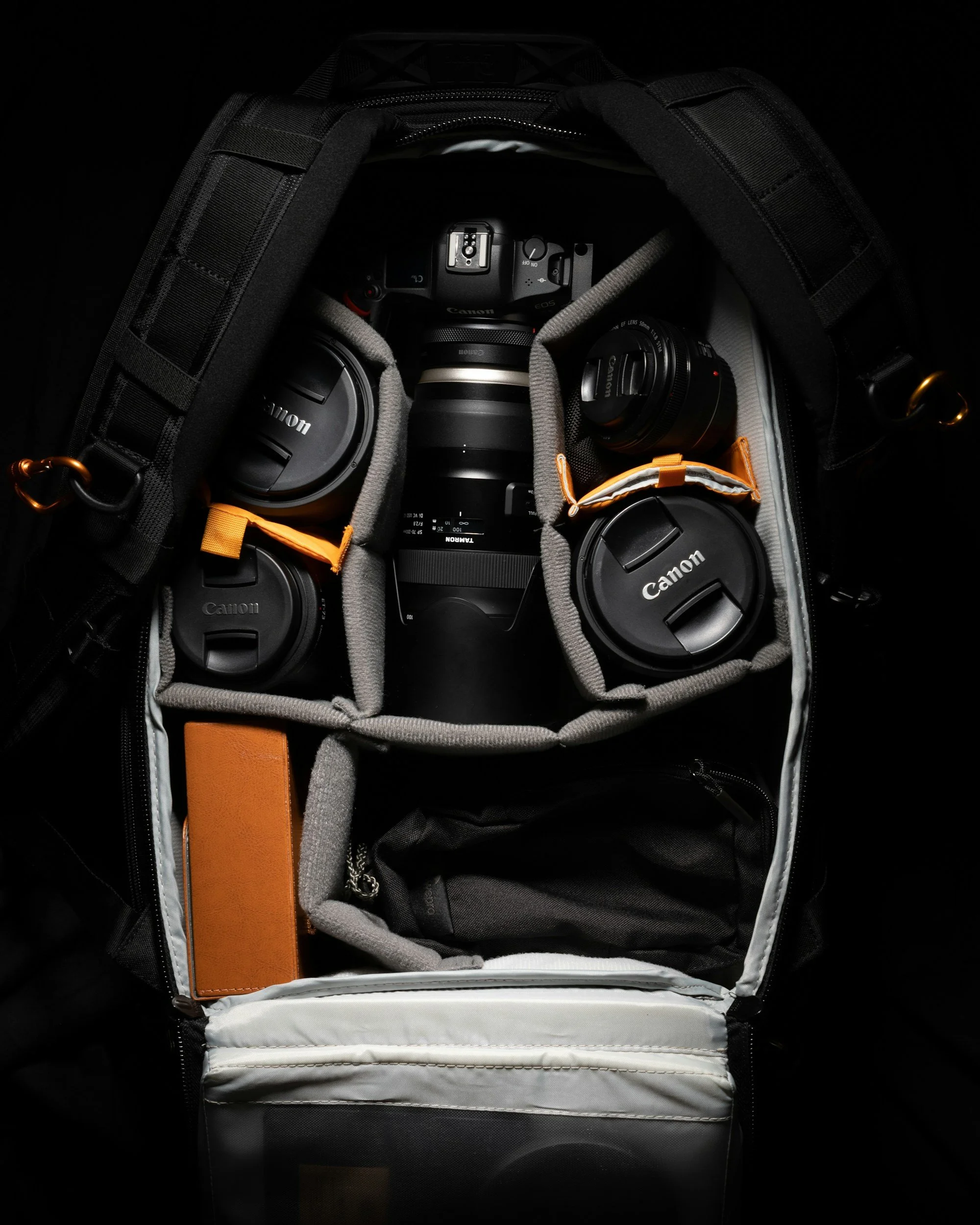
Welcome back! I am going to keep this one as short as possible, but at the same time try to give you enough information in a short space of time so that you can get out and shoot.

What follows is a list of 5 places you can take incredible landscape photos in The Lake District, without having a massive hike to get there. These will be great if you’re short on time, or if you’re short on energy but still want to get out. Nothing in here has more than a 20 minute to reach a great spot and get some great photos in the bag.

Gummer’s How

This one is the one with longest and most demanding walk, which is saying something as this one is an easy trek, which should take no longer than 20 minutes from the car, has a bit of climbing but is rewarded with incredible views across Windermere and many of the Lake District fells.

There’s a free car park just off Fell Foot Brow, which is run by Forestry England. You can find it at ///rated.soup.looms on What Three Words.

From here, cross the road and follow the signs which will lead you along a short trail with a slight incline, and then you’ll be met by a short, but much steeper climb up to the top of the hill.

Walk towards Windermere (you will be able to see it) and you will be rewarded with some breath taking views. This is a great place for sunset and you’ll get some incredible shots if the weather is in your favour. I prefer a long lens here as it lets you pick some of the detail in the scene.

Don’t forget your head torch for the way back if you’re planning on staying late.

If you’re planning for sunset, then check out my sunrise and sunset photography in the Lake District blog.

Queen Adelaide’s Hill

This is another one which is a short walk from the car and rewards you with great views across Windermere, without the walk up Gummer’s How. There’s even a bench at the top if you’re feeling a little out of breath. This is another good one for sunset. You can park at at Rayrigg Meadow Car Park (What Three Words: ///magpie.permanent.agent).

The path to Queen Adelaides Hill is largely paved, but there is a small section which is through a bit of woodland that can be uneven underfoot and isn’t paved so make sure you have the right footwear on.

Arrive in plenty time if you’re going for sunset, as this car park allows motorhomes overnight and it fills up quickly. It’s also not cheap and is run by the council so there’s no discount/free parking with your National Trust Card.

Head towards ///waiters.risky.loudness and you will be in position for some great views.

Surprise View

We’re heading out of the Southern Lake District and up to Borrowdale for this one. You’ll find Surpise View at What3Words ///copying.shadowed.bounding , with parking really close by. I would estimate the walk from the car to the viewpoint to be around 30 seconds… This is the shortest ‘walk’ on the list! You have incredible views of Derwent Water and down into Keswick from up here, and it’s great for sunset shoots, and also looks great at Blue Hour.


Whilst you are here, you can also bag a Lake District classic and bag yourself a shot of the packhorse bridge at Ashnesss, What3Words ///pills.index.remarried. This is a great place to go and do some long exposure work! Check out my long exposure blog by clicking here.

Wastwater

Moving out into the Western Lake District now, and we’re headed to Wast Water. I am not going to include a what3words location for this one, because there are so many great places to shoot from here. You’ll end up on the north eastern shore of the lake (the opposite shore is inaccessible unless you fancy a swim across England’s deepest lake) when you arrived and there is lots of parking at the side of the road (stay out of the passing places and park respectfully, please!). Once you’re parked, you can walk along the side of the lake and scope out some of the compositions that are spread out in front of you. Explore and have fun. This is another one that is great at sunset.

Blea Tarn

This one takes a little more central and comes with a weather warning. If the weather is poor, don’t go - check before your travel. In the winter, the roads leading up here become treacherous and are impassable in bad weather. You have been warned!

That said, in the summer, whilst you need to be careful on the roads, many of which are single track, your patience (and careful driving) will be rewarded with an easy walk up shot at Blea Tarn.

You can park at the National Trust Car Park (free for members!) which you will find at What3Words ///destroyer.marked.groomed . Leave the car park via the entrance you got in through, cross the road and follow the path. From here, the tarn is on your right and you can walk down to it. Make sure you watch where you put your feet and take good shoes - it can be very boggy. There are great shots across towards the Langdale Pikes and you will see some interesting wildlife here if that’s your bag as well.

This one is a good sunrise spot, get here early to secure the best spots.

Bonus Hidden Gem

This one is often overlooked and is little known. It is called Kelly Hall Tarn, which is in a village called Torver on the way into Consiston. There is parking at What3Words ///backdrop.shelters.quitter. Once parked, take a walk towards the back of the car park and follow the path which will lead you to the Tarn. It’s about a five minute walk, which can be boggy after rain and also boggy when it hasn’t rained for days. Be prepared. This is a great sunset spot, and is super dark at night for you astro fans!

And that concludes the blog! If you try any of these locations, let me know how you get on. I’m always interested to hear where people head first, and what conditions they find when they get there. Keep an eye on the blog for more beginner-friendly Lake District photography guides.

These guides are all written from time spent out in the Lakes with a camera in hand. If you’ve found it useful, buying me a coffee is a great way to support the site. You can also join my newsletter for future guides, photography tips, and new content as it’s published.

Check out some more of my latest blog posts below…

Read More
Chris Kendrick Chris Kendrick

What’s in my Camera Bag 2026

Every year my camera bag evolves, and 2026 is no exception. In this updated “what’s in my camera bag” post I break down the full photography kit I actually carry: camera bodies, go-to lenses, filters, tripod, storage and the small accessories that make shoots smoother. If you’re looking for real-world camera gear recommendations, or you’re simply curious how another photographer builds a reliable, travel-ready camera bag in 2026, this behind-the-scenes gear list will walk you through every piece and why it’s earned a place in my bag.
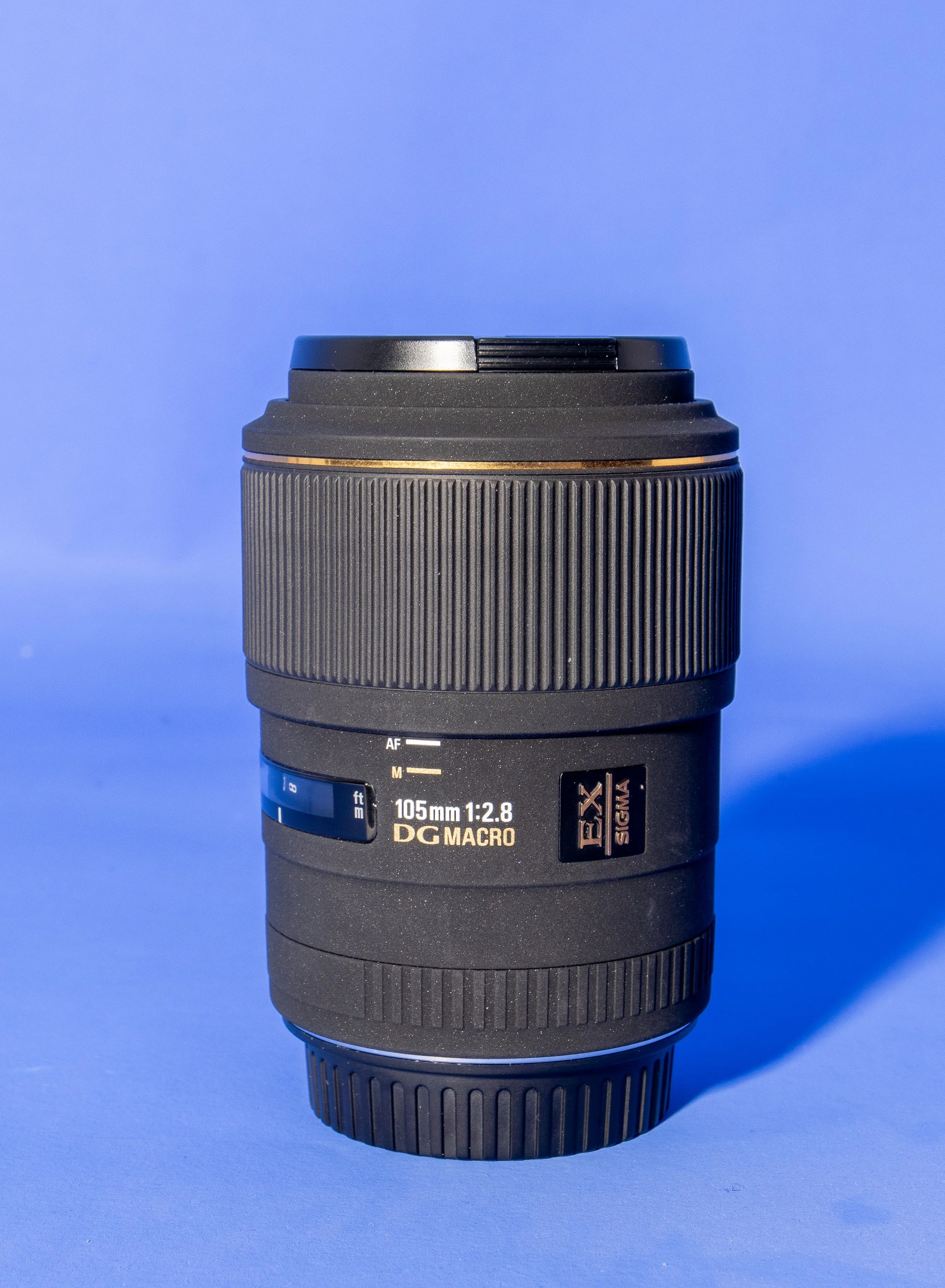
This one always feels like a bit of cop out, everyone does “what’s in my bag” blogs/vlogs etc, but this time, I think my bag has changed enough to warrant one, but yes, I am still shooting with the 80D, that much hasn’t changed. So without further ado, let’s take a look at what’s in my bag this year and why each item has earned its place!

What’s out?

I don’t take my 18-55mm kit lens out with me anymore. I am keeping it, because when I come to sell the 80D, it’ll add a little extra resale value to the camera. I’ve also ditched the GoPro Hero 7 and the 50mm is spending less and less time in the bag these days, as I just don’t seem to have a use case for it at the moment. I won’t get rid of it, because I love it and if I were to not have it, I would be looking for excuses to buy another one.

My 85mm only comes out when I know I am going to be taking portraits or if I am going to indulge in a bit of 85mm street photography; I will NEVER get rid of this lens, it is so incredibly sharp and the bokeh is incredible. It’s one of those lenses that for me, is just irreplaceable!

The bag itself changes frequently. I am forever flip-flopping between the LowePro Fastback 250 AWIII (read my review here), and my LowePro Pro Tactic 450AW. It’s not that I can’t make my mind up, but that they are just both best suited to different things… the 450AW is better if I want to take more camera gear and really load up. If I am taking less gear and travelling a little lighter and perhaps with some sustenance for the day then I am taking to FastPack. Oddly, the 450 is more suited to walking as it’s got great hip straps which help to move the weight around but I tend to take it when I need more kit on a shorter walk or if I am travelling to specific outdoor location. If I am on a set then the 450 is the bag that is coming with me.

I’ve also ditched the Canon camera strap that came supplied with it in favour of a different solution. Read on to see what’s taken its place!

What’s In?

Lets start with the lenses… I’m carrying the Canon EF 70-200 f/4L, the Canon 16-35mm f/4L, the Canon 24-105 f/4L (Yes, I know I have these focal lengths covered in the first two lenses) and the Sigma 105 DG EX Macro f/2.8, I’ve also usually got my Pocket Dispo lens in there as well, for when I want to grab something that feels a little more nostalgic and where corner to corner sharpness doesn’t matter.

Canon 16-35mm f/4L

This is my favourite lens of the 4 focal lengths I regularly have in the bag. It’s small enough to carry, and being the f/4 version, it is much lighter (and cheaper!) than the faster, f/2.8 version. It’s got great sharpness across the focal range and it’s great for video as well. I’ve done a review of this lens, it’s only a recent addition to my bag; you can read it here.

Canon 24-105 f/4L

So I know there is a bit of cross-over here between the 16-35 and this, but that longer focal length gives me some extra flexibility. It’s sharp and the autofocus is great!

Canon EF 70-200 f/4L

This is a close second to the 16-35 and I often go out with just this lens as it forces me to look for different compositions, and paired with my teleconverter and crop sensor, it gives just about enough reach to dabble in a little bit of wildlife photography if the mood and/or circumstances present themselves.

Sigma 105 DG EX Macro f/2.8

This is a recent addition to my bag. A 1:1 magnification macro lens is something I have been looking at for a while and this one came along at the right time. It’s a prime lens and produces some really sharp images. I carry this as it allows me to take better detail shots when I am out in the field and I’m enjoying the challenge of finding smaller, more interesting things to shoot. I’ve done a review of the Sigma 105 DG EX Macro f/2.8 recently, take a look!

Canon EF 2X Teleconverter

I am still carrying this as I am still a little bit unsure about it. What it does, it does really well.

It magnifies everything in your image, including any noise, which is a bit of a bind as it reduces your lens to an f/8 so ISO often has to be high. That being said, I still don’t feel like I have got enough time with it to really understand how it works with my camera and how to get the very best out of it. It’s staying for now, bur I have no doubt that when the time (and money) comes, it will be replaced by a dedicated telephoto zoom with a really long focal length.

Pocket Dispo

Something for a bit of fun. This isn’t hugely sharp, it shoots at one focal length, it used to live in a disposable camera and I love it. It’s a really fun piece of kit, weighs next to nothing and the images it takes are full of nostalgia. I’ve done a review of this lens previously on this blog, and you can read it here.

Video

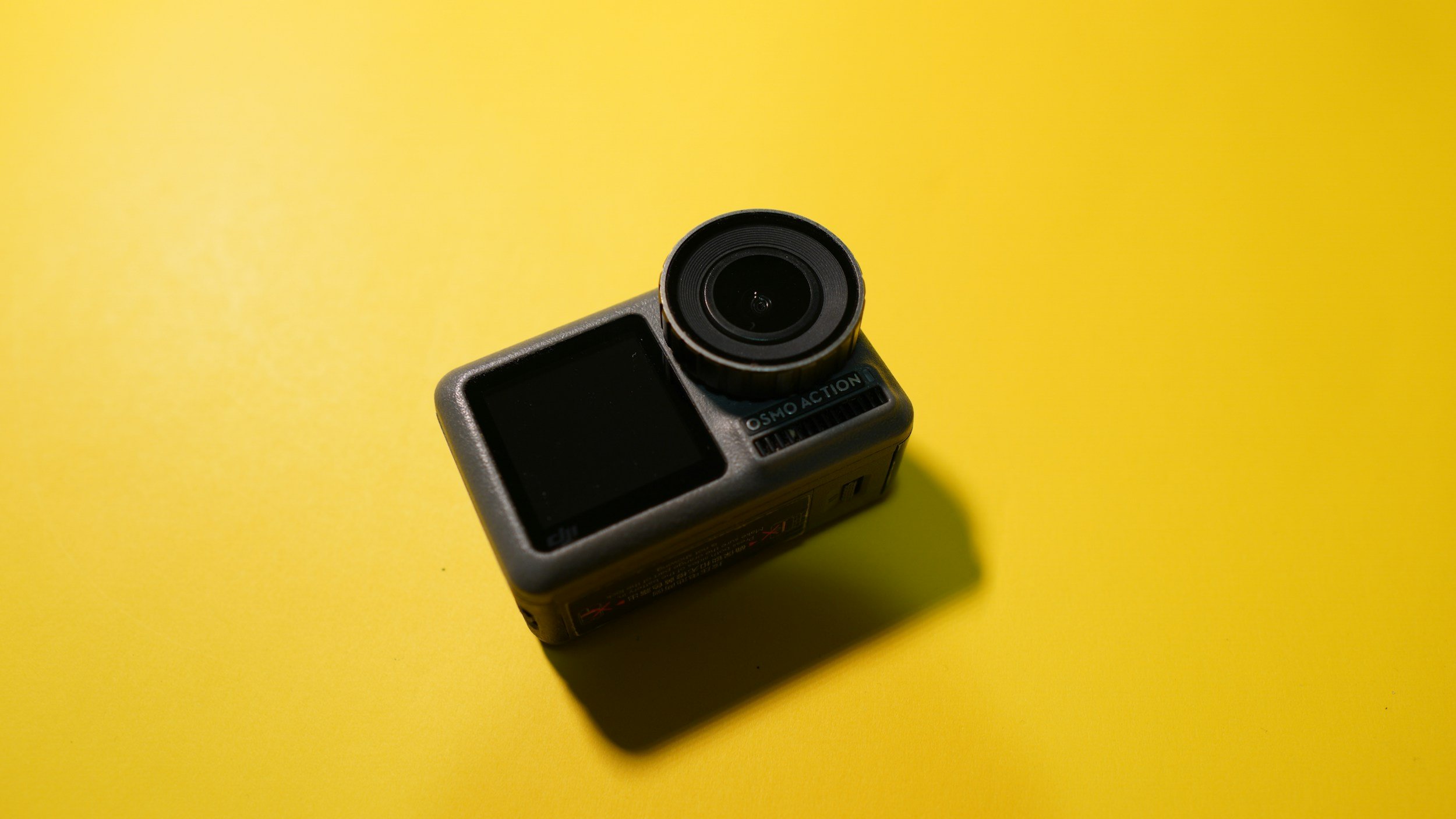
For video I usually have two action cameras with me, the DJI Action 2 and the DJI OSMO Action 4. Both of these do similar things, but the OSMO Action 4 does them much better and in a way that I find easier. Having the two bits of kit means that I can mount one of them on top of the camera and the other one can be set up for to grab those cheeky time lapses.

Strap

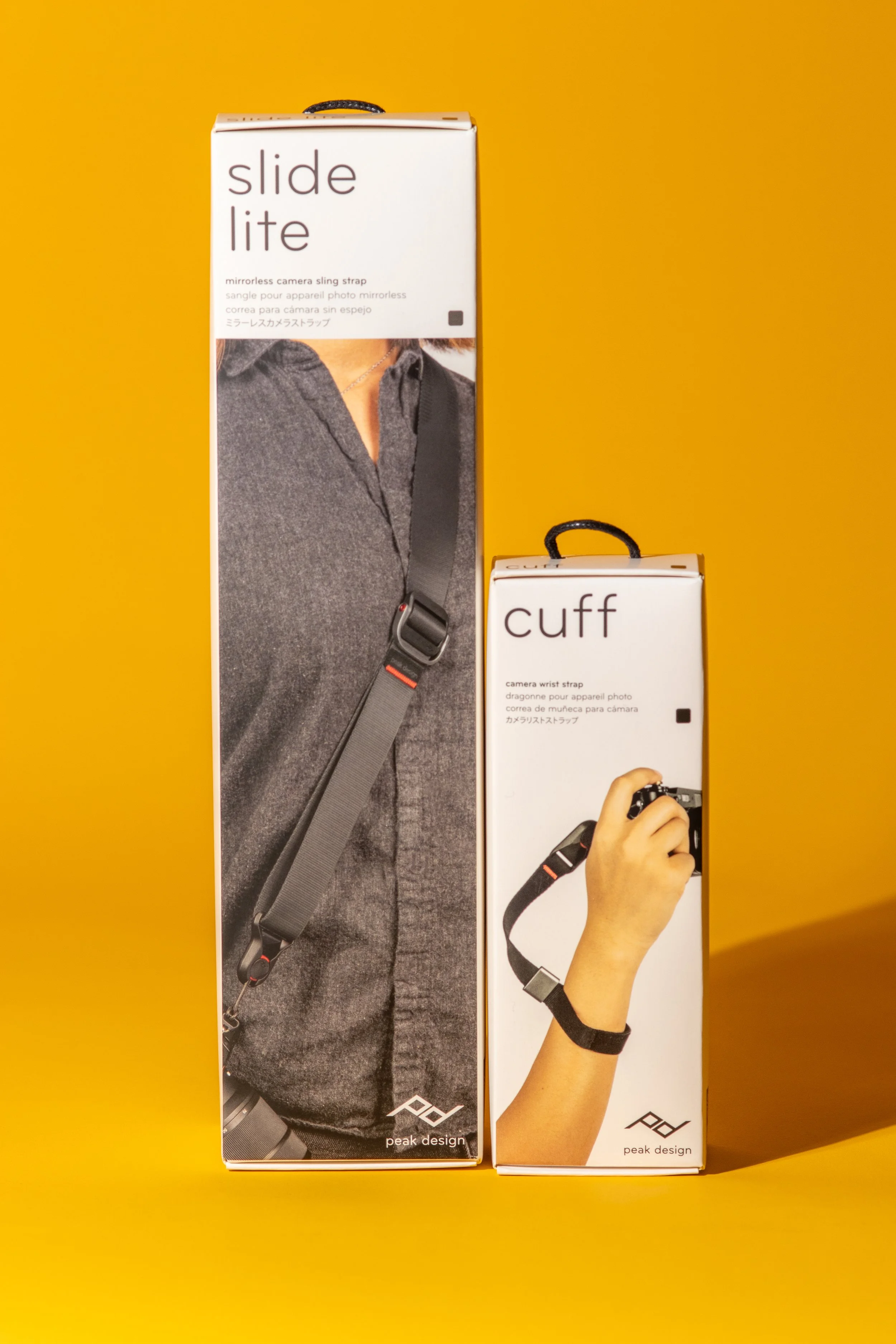
I am a recent convert to the Peak Design Slide Lite and Peak Design Cuff. Both of these are easy to get on and off of the camera with the clip system, it feels good, looks great and holds the camera really securely.

Tech Pouch

The LowePro Gearup Creator Pouch is the pouch of choice for storing a fair bit of the stuff that ends up rattling in the bag getting lost. It fits neatly inside both of my bags, hold both of action cameras, all of the cables that I am ever likely to need whilst I am out an about. It’s also handy for storing notebooks, a pen and a pencil, the obligatory £20 note and both of the battery packs that I carry with me when I am out and about. Oh and my lens cloths!

MacBook Pro M4 16” 2025

Ok. so this isn’t always in the bag, I’m unlikely to drag up a fell or into a cold wet wood, but this thing is a beast.

If I am going away and need some serious editing power, then this thing really cuts it. It’s quick, it’s sturdy, it’s easy to use, it multitasks without skipping a beat and the render times for video are better than good. The downside is that because it’s quite big, it’s also quite heavy but given that I’m not often carrying it far, usually from the car to where I am staying, this really isn’t a huge concern for me. Oh and I did I mention the screen? The screen is out of this world; it’s bright enough that you can use it in bright light, the colours are great and it really is a joy to edit on - the 16” screen gives plenty of real estate to really give you a good idea of how your edits look.

Canon 80D

This has been my daily driver for a number of years and I love it. I know that the tech in it is pretty outdated now, but it works and it’s the best camera that I have. I know it really well and I don’t feel like there is anything I can’t do with it. I will need to upgrade it at some point as whilst I know it so well, I feel like I am really at the limits of what I can do with it. It has enough resolution for what I do in the studio in terms of cropping, the APSC sensor bags me a bit of extra reach and it’s built really well so it’s suited to the work I do and the manhandling it gets.

Headtorch

Not all photographers are going to need one of these, but landscape photography calls for one (and a good one at that) to be in your bag. If you’re out in low light at the start or end of the day, you need to see where you are putting your feet! This is the one I like, it’s super bright, rechargeable and lightweight.

Editing Software

I am still pretty reliant on Adobe and I know that there is a lot of movement away from it at the moment, with people starting to favour other options because of the pricing model that they use, but I know it, it works and Photoshop is still an industry standard. Lightroom is where most of my landscape edits happen with any little retouches happening in Photoshop, but I do find myself using Photoshop less often as the editing tools in Lightroom are getting so good that it’s just not needed. .

In the studio I am using Capture One, another industry standard. The tethering is better and more stable than it is in Lightroom and the software as a whole interprets raw files much more accurately/effectively.

Audio editing is done in either Audition or in Logic Pro, depending on what I am doing. I am learning DaVinci, but still don’t know it well enough to leave Premier behind.

ND Filters/Polarisers

These are a vital piece of kit for landscape photographers and I have them for all of my lenses, with the exception of the macro lens as I haven’t yet come across a situation where I want less light in it! I like the Nano X filters from K&F concept which are a little pricier, but they are great at what they do and they cause minimal colour cast, which is easily corrected in post. I keep them in this pouch, which is a hardshell but worth the its size because it’s keeping my filters safe!

SD Cards

Not much to say about these, they’re an essential part of what we do. I use high speed 128gb Sandisk ExtremePro cards in my camera and I use Lexar V30 micro SD cards in my video kit as they can handle the write speeds needed to write 4K video.

Video Gear

This is nothing fancy I’m afraid. If you’re wanting me to have a ton of cinema stuff, you’re going to be disappointed. What I do have is a DJI OSMO Action 4 and a DJI Action 2. Both of these are actions cams. They’re small and rugged enough to handle a bit of a beating being dumped on the ground in my bag or left on a tripod somewhere to shoot timelapses whilst I run around with the camera. I’ve got a review of the Osmo Action 4 here - take a look!

The Bag

I flit between 2 bags; the Lowepro Pro Tactic 450AW and the Lowepro Fastpack 250 AW III. Both are great bags with plenty of space, but what I am taking my kit in depends on what I am taking and where I am going. If I going to do a full location shoot or if I am taking a lot of kit a long way, I’m taking the protactic as the hip straps really help with the weight. If I am travelling lighter then I’m taking the flat pack. It’s not as comfortable but it has two separate compartments which helps to keep everything apart and the second compartment is a great space for some food!

Drone

I don’t use my drone much and the one I have is old, getting on for 5 or 6 years. I have DJI Mavic Air 2. It gets the job done, but not always very well. The small sensor isn’t great in low light and the photos it takes aren’t great. I do like some of the video that comes out of it is decent quality and makes for some good b-roll. This stays out of the bag more than it stays in. I can’t lie you to on this one, they’re hard to find, as are the spares.

So that’s me for this year. I am sure there will be some additions as I move through year, but I think that the majority of it, the core if you will, is going to remain the same. I’ll update you if anything changes.

Thanks for reading - I hope you have found this blog useful. If you want more stuff like this as well all of the updates, please head to the contact page and sign up to my newsletter and get updates direct to your inbox!

If you’d like to support the blog and help me keep producing Lake District photography content, honest gear reviews and regular website updates, you can do so via my Buy Me a Coffee page. Keeping everything running smoothly takes time, and your support makes a real difference. Thank you.

Check out some more of my latest blog posts below…

Read More
Chris Kendrick Chris Kendrick

Gear Review: Sigma 105mm f/2.8 EX DG Macro

The Sigma 105mm f/2.8 EX DG Macro has long been regarded as one of the best-value true macro lenses available, offering 1:1 reproduction, excellent sharpness and impressive background separation. In this review I take a detailed look at its real-world performance for close-up photography, product shots and portrait work. From autofocus behaviour to optical clarity, build quality and value for money, this hands-on Sigma 105mm macro lens review explores whether this classic lens still holds up against modern alternatives—and whether it’s the right choice for your macro photography setup.
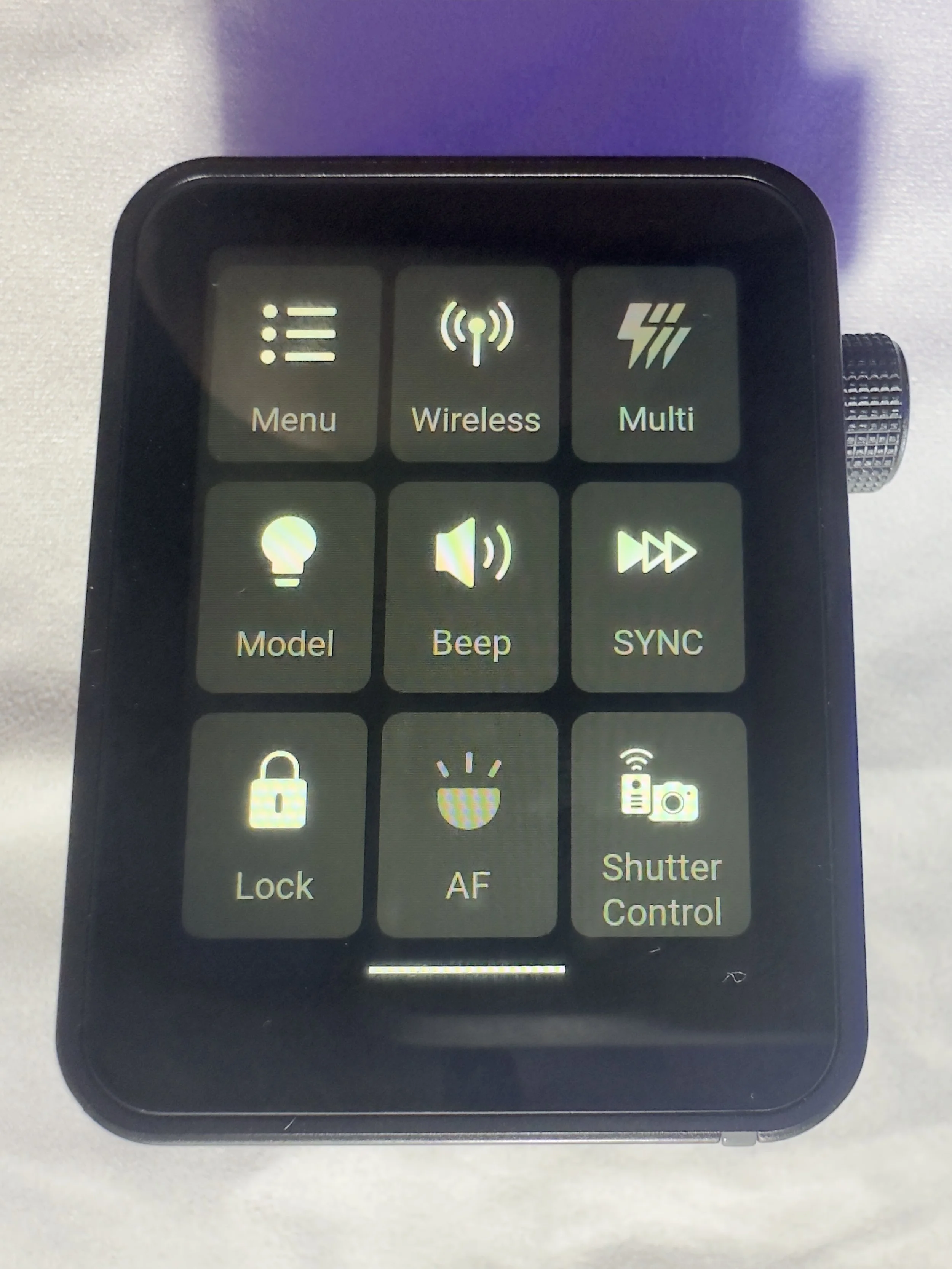
This is a piece of kit I have owned for a while, but haven’t really used a whole bunch, but now I have got some good hours under my belt with the Sigma 105mm f/2.8, I’m much better placed to give some thoughts on it, and I hope you find them useful. It’s also pretty old, having been released sometime in the 2010’s - I can’t find a definitive date online. this is worth bearing in mind if you’re considering this review or thinking about a purchase.

I’ve been using this in the studio and in the field. Now obviously these are two very different use cases in two very different environments however, the results are broadly comparable but there are some obvious advantages and disadvantages to both.

This blog contains Amazon affiliate links. If you follow one of these links and then make a qualifying purchase, I may receive a small commission and at no extra cost to you. This is a great way to support the blog and allows me to keep writing these reviews!

I’m using this on an APSC sensor, so the focal length is actually around 168mm rather than the 105 it is designed for (I will upgrade to full frame one day, I promise, but the 80D still has plenty of legs in it for now and besides, I enjoy using it though I am getting towards the upper end of its capabilities), but the lens is designed for use on both full frame and APSC sensors, though on a full frame it might not be as sharp in the corners.

I got this lens almost on a bit of whim after seeing someone use it in a YouTube video and seeing the results they were able get with it. The online reviews were strong and MPB had an excellent condition one listed for £154, so this one was a bit of a no-brainer, but also not quite an impulse purchase.

I have included some example raw files at the end of this blog so that you can have a play with some of them and pixel peep to your heart’s content.

First Impressions.

For less than £160, it feels like you have paid a lot more. Okay, so this launched at a price of £600 when it was first released, but in any case, it looks good, feels good and it seems pretty solid. It’s covered in something (I’m not sure what it is and can’t find the information online) that feels really smooth, but it will pick up fingerprints really easily (not that this is something that you were thinking about!).

This lens isn’t without its faults, but for me, second hand and at the price you can get one for, it’s worth it. The faults aren’t with the final images, they’re in its operation. Are there better lenses out there? Yes. Is there anything you can buy for a similar price that is better? I don’t think that there is.

It feels sturdy, and that’s something which is important to me as I am known to have the odd clumsy moment. It attaches to and removes from thee camera body easily.

One thing that I do find slightly annoying is the lens hood. There’s nothing wrong with it, but when you’re not using it and want to store, it doesn't invert and clip to the lens to keep it out of the way. My Canon 50mm has the same issue and it’s my biggest gripe with it.

If you’re shooting on a Canon body, this lens will stop down to f/45 but I am yet to find a genuine use case for this, other than trying to force shutter speeds if you’re outdoors and looking for a longer exposure time because you have forgotten your ND filters.

Speaking of ND filters, the filter thread size on this is 58mm, which is pretty small so you might not have anything which fits. Some step up/down rings could be a worthwhile investment if you don’t want to spend a ton of cash on a new filter.

You might already have a larger filter of 77mm, you can screw into the lens hood which has a thread in it, but then the front element is so far recessed that the lens hood isn’t really providing you with any extra protection for this and if you’re not bothered about filters then the lens hood could probably left at home.

Performance

Like I said earlier, it comes on and off the body of the camera really easily. As you would expect I suppose, but I figured it was worth commenting on.

Ok, so let’s chat about the autofocus. The autofocus isn’t great and it tends to miss quite often. If you’re looking for something which macro capability and which has good autofocus, this isn’t it. I do suppose if you’re doing a lot of macro work with it, this probably won’t be an issue for you. If you want to use it like a standard longer focal length lens then it could be a problem for you unless you are manual focussing. I won’t be using it for wildlife or portrait work any time soon as the number of missed shots means that for me, it’s a non-starter.

The other thing with the autofocus is that it’s slow. Like really slow. It takes a while to hunt for the focus and like I said, its success rate isn’t amazing. It’s also pretty noisy so if you plan on using any of the footage for video then you won’t be able to use the on camera audio, it’s likely to be picked up by off camera mics as well.

There is a focus limiter which will reduce the amount of hunting the lens has to do. The minimum focus distance is 12.3” (about 310mm), which translates to about 4.8” (400mm) working distance from the end of the lens.

Now whilst the autofocus isn’t great in this lens, it’s super sharp, even wide open at f/2.8 and this is one of its biggest selling points. It’s still sharp at f/8, as you would expect, but expect to see some diffraction which will make your images soft beyond f/16.

In the studio, this lens has been great.

Paired with my 80D and tethered to Capture One, I have had some great results, especially when I have been focus stacking images and inching the focus point forward gradually with the software in manual focus.

Using it to focus manually has been a dream, but I prefer using the software to take any shots where I know I am going to need to stack to get that front to back sharpness.

I would expect that if you have focus stacking/bracketing functionality built into your camera then the results would be strong but I can’t comment on this as mine is a veritable antique these days and such luxuries have not been afford to me!

Who is this lens for?

This is a great lens if you are just starting out in macro photography or you want to start working on some product shots/still life in the studio then this lens would be great entry point - it’s much cheaper than going straight in for something like the Canon L Series 100mm Macro which is 7 times the price of the Sigma.

Landscape photographers will love this lens for detail shots or abstracts where the detail and the sharpness in the detail is really important.

Macro or wannabe macro photographers will love the sharpness this has and the wide aperture is going to help to flood the lens with light, coupled with the wide open sharpness means that you’re able to create some impressive images.

Pros and Cons

Pros:

  • Lightweight and solid build quality.

  • Sharp wide open at f/2.8

  • Works great tethered for focus stacking

  • Focus limiter helps to reduce focus hunting.

Cons:

  • Autofocus is slow and hunts a lot

  • Loud autofocus makes it challenging for video shooters

  • Small filter ring size

  • External zoom makes close focussing tricky and opens up opportunities for dust.

Downloadable Raw Files:

I’ve taken a couple of shots of an old one pound note, which isn’t legal tender any more (!), they’ve not been for about 37 years, so don’t go getting yourself any ideas about getting rich quick! These are genuine, straight out of camera raw files so have had nothing done to them. Click the buttons below to download these and have a pixel peep.

Tech Specs:

Spec Details
Lens Name Sigma 105mm f/2.8 EX DG Macro
Lens Mounts Canon EF, Nikon F, Sony/Minolta Alpha, Sigma SA
Aperture Range f/2.8–45 (45 only available on Canon)
Actual Weight 450 g
Measured Size (DxL) 2.95 × 4.13 in (75 × 105 mm)
Lens Length with Hood 5.6 – 7.57 in (142.2 – 192.3 mm)
Minimum Focus Distance 12.2 in (310 mm)
Maximum Magnification 1.00×
Optical Construction 11 elements / 10 groups

If you’d like to support the blog and help me keep producing Lake District photography content, honest gear reviews and regular website updates, you can do so via my Buy Me a Coffee page. Keeping everything running smoothly takes time, and your support makes a real difference. Thank you.

Read More
gear review, photography gear review, godox Chris Kendrick gear review, photography gear review, godox Chris Kendrick

Gear Review: Godox X3 Pro Wireless Touchscreen TTL Flash Trigger.

The Godox X3 Pro is a compact, touchscreen flash trigger designed for Canon photographers who want fast, reliable control over off-camera lighting. In this review, I take a practical look at how the X3 Pro performs in real-world shooting, covering its radio triggering reliability, touchscreen workflow, TTL and High-Speed Sync support, and how it fits into a modern Godox lighting setup. If you’re considering upgrading your flash trigger or moving to a cleaner, more portable lighting workflow, this Godox X3 Pro review breaks down who it’s for, how it performs, and whether it’s worth adding to your kit.
Ahhh, flash triggers! For years (for me at least) these have been unnecessarily difficult to use bits of kit with complicated menus, too many buttons and some of the least intuitive things I have ever had in my photography set-up.

The Godox X3 Pro-C was launched in late 2025, with initial availability starting in September/October 2025 and changed that! It is something that I have been wishing someone would make for a number of years and finally something has come along that ticked a lot of the boxes I was hoping for.

I’ve had a number of different flashes and I still own some of them. One of the first sets was some Neewer off-camera flashes (the catchily titled Neewer NW-562 E-TTL Flash Speedlite), which came with their own triggers and a manual which contained some literal translations which were largely unhelpful. They were a lot of faffing, but once I got some settings dialled in for the transmitter and the receivers, I didn’t change them. I could just about work with the plethora of buttons and dials on the flash to change things like the output power and the zoom, and I did find it handy being able to reposition them. I still have them as they make useful lights that I can hide in scenes to light them more creatively.

I eventually upgraded to some more powerful strobes, this time from Godox and went for the Godox SK400III, which I paired with Godox XPRO-C TTL trigger. This was a real step-up from the previous trigger as now I could set up groups and store some different settings. Again however, I found this really complicated to use. The old style LCD screen was, I found, very confusing, difficult to use and to be quite honest, a bit of a pain. It did however give me some more flexibility and allowed me to do a little bit more. When I say ‘allowed’, what I mean is that I could control the strobes from the trigger rather than having to go and off fiddle with two set of buttons on two different flashes.

More recently, I have taken delivery of the Godox X3 Pro C Wireless Touchscreen TTL Flash Trigger. Yep, you guessed it, I got in the Black Friday sale last year, and I have had a couple of months to play with it before giving you my thoughts. One of my overriding thoughts is that they need to come up with some better names for these things!

This blog contains Amazon affiliate links and I may receive a small kick back if you make a qualifying purchase after you have clicked one of these links. This is a great way to support the blog, so a massive thank you goes to you if you choose to make a purchase, all of the money I make from this goes back into helping me to create reviews for the blog, it’t not a huge amount, but every little helps!

First Impressions:

This is much smaller than previous triggers that I have owned, yet you don’t lose any of the screen real estate that you want with a piece of gear like this. It’s light, which is a real bonus when you’re sticking it on the top of your camera via the hot shoe. One of the other things I like about it is that it has a built in rechargeable batter - HOORAY - no more faffing about with AA batteries which cost a fortune or rechargeable ones that never seem to last very long. The battery is rechargeable via a USB C cable which comes supplied.

It’s a lovely little object to hold, the plastics feel solid and the branding is fairly tame which means it looks quite subtle.

The touchscreen is bright and responsive. It’s also big enough that you’re not forever bumping icons you didn’t mean to and it’s not so sensitive that you’re accidentally changing your settings by just brushing against it.

There are 2 buttons on the right hand side, which give solid feedback when your press them (one of these will test fire the flash and the other is the power/menu button). Finally, on the same side, you have a multifunction wheel, which you can turn to navigate the menus and press to make selections, it has a reassuring click which lets you know you’ve made a selection. This might be handy if you’re working somewhere cold and are wearing gloves, or if you struggle to use your hands to make the changes via the touchscreen.

On the front of the unit there is an autofocus assist beam and at the bottom of it there is mechanical button which retracts a pin on the hot shoe to enable you to release it from the camera when you’re ready to pack down.

It came with about 60% charge already in the battery and to charge it to full took about 45 minutes. I don’t know what the full battery life is, but it’s been enough to get me through a full day’s shooting.

My Experience with The Trigger

I have really enjoyed using it so far. Once I had everything set up (which took no more than a few minutes after I had watched some YouTube videos), I was ready to go and shooting. I had someone booked in for some headshots not long after I took delivery of it and it got me through the whole session with no issues (I did have the old one on standby just incase I ran into any issues), I was able to make range of adjustments which synced to the strobes with no issue.

One thing I really like is that you can scan the 2.4ghz frequencies and the trigger will tell you which channels are the clearest ones for use in the environment you are, and then you can set this on the strobes and the trigger. I use each of my flashes in its own group and I don’t bother with the ID numbers as I am not often working in an environment which requires me to do this. I have however, messed around with creating different groups and using ID numbers for the purpose of this review, and have found that it’s a fairly straightforward process.

There is a slight lag from when you make changes on the trigger to them registering on the flash, whilst this hasn't been an issue for me, it’s something worth knowing. We're talking about delay of less than a second, but I know there are people who aren’t going to be into this.

What other features does it have?

One little ‘'bonus’ feature of this unit is that you can also use it as an intervalometer, but you will need to connect the trigger to the camera with 2.5mm TRS cable (male to male). These are less than a tenner for two if you click the link I have just posted, but a lot of you might find that you already have one of these knocking around at home somewhere, especially if you have purchased flash gear before.

One of the big plusses, for me at least, of this trigger is that it is a radio trigger so this does away with the need for line of sight to enable you to trigger the flash, which gives you some more flexibility on set/location and it saves the need for the use of optical slaves.

Switching between TTL and manual flash is straightforward, which is especially useful when working in changing light conditions.

The updatable firmware is also a huge bonus for lighting setups and products which are constantly evolving, and will reduce the need to keep spending money on buying new gear.

You can also change the trigger distance or range and you have two options here, 0-30 metres and 100m. I have found that when I am shooting in the studio, it’s much more reliable and has fewer misfires when working in the 0-30m setting. I haven’t used it outside yet, so can’t say if it works well up to 100m.

Finally, in the menus there is a function called ‘legacy’ which allows you to turn off all but one of the pins on the hotshot (the centre one), which means that it has greater functionality across a range of older camera bodies. You should be sure to check that your camera is compatible with the unit before you buy it.

Who is this for?

The Godox X3 Pro-C is ideal for photographers who want a compact, modern flash trigger without sacrificing control or reliability. It’s particularly well suited to Canon shooters who regularly work with off-camera flash and want a streamlined, clutter-free setup that travels easily. If you shoot on location, work with multiple light groups, or frequently switch between TTL and manual flash modes, the X3 Pro-C’s touchscreen interface and intuitive layout make lighting adjustments quick and efficient.

It’s also a strong choice for photographers moving away from optical triggering and into a radio-based workflow, offering dependable performance indoors and outdoors without line-of-sight limitations. Those who value portability, a clean camera setup, and fast access to lighting controls will appreciate what the X3 Pro-C offers.

However, photographers who prefer physical dials and buttons, work extensively in cold or wet conditions, or want interchangeable batteries may find a more traditional trigger a better fit.

Where Can I Buy One?

The easiest place to get one of these is on Amazon, where you will find it for around about £88. Make sure that you buy one which is compatible with your camera. There are a number of different versions, so don’t end up with something that you need to return! The ‘C’ in the name of this one stands for Canon, there is an ‘S’ for Sony and so on. They are clearly labelled with the camera brand on Amazon.

Pros and Cons

Pros

  • Bright touchscreen with intuitive navigation and operation.

  • Small profile makes it great for travelling and on location marking.

  • Supports Canon TTL metering and high speed sync

  • Uses the Godox X system which gives compatibility across a wide range of flashes/strobes

  • Built in USB C rechargeable battery negates the need for a high pile of AA batteries.

  • High speed sync speed up to 1/8000 if your camera supports it.

Cons

  • Touchscreen can be fiddly in cold and wet conditions

  • Not hot shoe pass through. Once it’s attached, there is no way to connect anything else, which could be a limiting factor in some setups.

  • More expensive than some other Godox triggers without much development around the core functionality.

Final Thoughts

The Godox X3 Pro-C is a strong choice for Canon photographers who want a modern, streamlined approach to off-camera flash control. It delivers reliable radio triggering, a clean and intuitive touchscreen interface, and a compact design that keeps camera setups lightweight and uncluttered. In real-world use, it offers all the core functionality most photographers need, from multi-group control and TTL support to High-Speed Sync for working in bright or fast-changing light.

While those who prefer physical buttons or interchangeable batteries may gravitate towards more traditional triggers, the X3 Pro-C excels in ease of use, portability and workflow efficiency. For photographers looking to simplify their lighting setup without compromising on control or performance, the Godox X3 Pro-C is a capable and well-designed trigger that fits comfortably into both studio and on-location workflows.

Technical Specifcations

Godox X3 Pro-C (Canon) – Specifications

Quick reference spec sheet

Compatibility
Canon EOS (E-TTL / E-TTL II)
Wireless system
Godox X 2.4GHz radio
Range
Up to approx. 100 m
Channels
32
Wireless ID
01–99
Groups
A–E + ALL
Flash modes
TTL, Manual, Multi
High-Speed Sync
Up to 1/8000s
Flash compensation
±3 EV (1/3-stop steps)
Sync modes
Front & rear curtain
Interface
Colour touchscreen
Power
Built-in rechargeable battery
Charging
USB-C
Firmware updates
Via USB-C
Mount
Canon hot shoe (quick-lock)
Remote control
Power & zoom control on compatible flashes
Size
Approx. 72 × 51 × 38 mm
Weight
Approx. 48 g